- English


- English
- What's Myforex
- Share
- Use tools
- Get information
- What's New
- Help center
- About us
- Customer support
- Terms and policies


-

-
 PortfolioShare your portfolio and performance in real time
 -
 ContestsContests held by retail brokers around the world
-
-
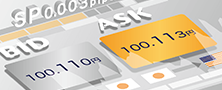 Real-time spread comparisonCompare spreads of major retail brokers in real time
 -
 Volatility analysisVisualize volatility as a measure of daily market activity
 -
 Swap point comparisonCompare buy and sell swap values for each broker by symbol
 -
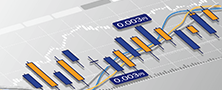 Market rates & chartsCheck prices for all instruments offered by each broker
 -
 IndicatorsProviding in-house developed indicators for MT4/MT5
 -
 Trading calculatorsCalculation tools for each broker to help you trade
Search results | MetaTrader4/5 user guide
8 search results for "Windows (PC)"

Browse by topic(PC)
Browse by topic (Mobile & tablet) Browse by topic (Mobile & tablet)
Search results
Show:
-
MT4/MT5: Adjust window layout
Windows (PC)Here we'll take a look at how to adjust the windows layout in MT4/MT5. You can adjust the window layout on MT4/MT5 to your liking. Created : 2022.08.05
 Last updated : 2026.03.26
-
MT4/MT5: Compile EA/indicator
Windows (PC)In MetaTrader 4 (MT4) / MetaTrader 5 (MT5), you need to compile the EA/indicator source code before running it. Here we will look at how to compile EAs and indicators on MT4/MT5.Created : 2025.10.15
Last updated : 2026.03.31
-
MT4/MT5: Manage columns in Market Watch
Windows (PC)Here we'll take a look at how to change the items displayed on the Market Watch in MT4/MT5. You can get information such as spread, low and high prices, and more in the Symbols tab of the Market Watch on MT4/MT5.Created : 2022.08.15
Last updated : 2026.03.18
-
MT4/MT5: Manage symbols in Market Watch
Windows (PC)Here we will look at how to manage symbols in the Market Watch on MT4/MT5. On MT4/MT5, you can show or hide not only specific symbols, but also all symbols at once.Created : 2022.08.12
Last updated : 2026.03.26
-
MT4/MT5: Open the Popup Prices
Windows (PC)Here we will look at how to use the Popup Prices on MT4/MT5. The Popup Prices feature makes it easier to see the information displayed in the Symbols tab in the Market Watch.Created : 2022.08.10
Last updated : 2026.03.25
-
MT4/MT5: Use and customize tick chart
Windows (PC)We'll take a look at how to use and customize the tick charts in MT4/MT5. You can check the tick charts from the Market Watch or when placing a new order and see the price movement faster than any other chart.Created : 2022.07.12
Last updated : 2026.03.18
-
MT5: Display symbol details in Market Watch
Windows (PC)The Market Watch consists of four tabs: Symbols, Details, Trading, and Ticks. In the Details tab, you'll find various information such as close price of the previous day, today's high/low/open, change in price from the previous day, and current price. Here we'll take a look at how to display the details for a symbol on the Market Watch in MetaTrader5 (MT5).Created : 2022.08.05
Last updated : 2026.04.24
-
MT5: Trading tab in Market Watch
Windows (PC)The Trading tab in the Market Watch on MetaTrader5 (MT5) features a one-click trading panel, last update time, spread, swap points, and low/high. This tab is unavailable in MetaTrader4 (MT4) and is only available in MT5. Here we'll take a look at the Trading tab in the Market Watch.Created : 2022.08.05
Last updated : 2026.03.18
Show:
Total: 8 1/1
Disclaimer:
All information and content provided on this website is provided for informational purposes only and is not intended to solicit any investment. Although all efforts are made in order to ensure that the information is correct, no guarantee is provided for the accuracy of any content on this website. Any decision made shall be the responsibility of the investor and Myforex does not take any responsibility whatsoever regarding the use of any information provided herein.
The copyright in our content belongs to us.
We welcome your use of our content within appropriate limits, including use through our sharing features, sharing on social media, and quotation. However, please refrain from unauthorized reuse, including but not limited to commercial use, reproduction with modification of content, or reproduction on websites that compete with us. We may take necessary measures, including but not limited to deletion of the relevant content, if we consider that the content has been used in an inappropriate or unauthorized manner.



Myforex uses cookies to improve the convenience and functionality of this website. This website may include cookies not only by us but also by third parties (advertisers, log analysts, etc.) for the purpose of tracking the activities of users. Cookie policy