- English


- English
- What's Myforex
- Share
- Use tools
- Get information
- What's New
- Help center
- About us
- Customer support
- Terms and policies


-

-
 PortfolioShare your portfolio and performance in real time
 -
 ContestsContests held by retail brokers around the world
-
-
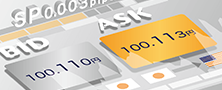 Real-time spread comparisonCompare spreads of major retail brokers in real time
 -
 Volatility analysisVisualize volatility as a measure of daily market activity
 -
 Swap point comparisonCompare buy and sell swap values for each broker by symbol
 -
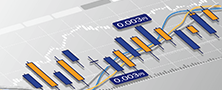 Market rates & chartsCheck prices for all instruments offered by each broker
 -
 IndicatorsProviding in-house developed indicators for MT4/MT5
 -
 Trading calculatorsCalculation tools for each broker to help you trade

Search results
280 Search results
Show:
Total: 280
Show:
-
Check your MT4/MT5 version
Here we'll look over the steps on how to check the version of the MetaTrader4 (MT4) / MetaTrader5 (MT5) app on Android and iOS mobile devices. Check the version, build, and last update to see if your MT4/MT5 app is up to date. The bigger the number of the version and the build, the newer it is.
See details
-
Download and install MT4/MT5 (Windows)
You can easily download/install MT4/MT5 for Windows on your computer in 1~2 minutes. Once MT4/MT5 has been installed, it'll boot up automatically and you'll be ready to go. Here we'll look at the steps required to download and install MT4/MT5.
See details
-
Multi-timeframe Trend Analysis Indicator
Multi-timeframe trend analysis indicator displays multiple technical indicators on a single chart. From stochastics to MACD, you can check up to 7 trend indicators with different timeframes and symbols simultaneously.
See details
-
Download and install MT4/MT5
Here we'll look at the steps required to download and install the MetaTrader4 (MT4) / MetaTrader5 (MT5) app on Android and iOS mobile devices. Search for "MT4" or "MT5" in the app store for your device and download.
See details
-
MT4/MT5: Change sound settings
Here we will look at how to turn on the sounds on MetaTrader4 (MT4) / MetaTrader5 (MT5) app on Android and iOS mobile devices. On MT4/MT5 for PC, you can silence specific sounds individually, but on MT4/MT5 for mobile, you can only turn on or off all sounds at once.
See details
-
Chart overlay indicator
The chart overlay indicator is an indicator that displays up to five additional symbols on a single chart. It displays correlated symbols such as EUR/USD and GBP/USD at once. Also, it can display stock indices e.g. Dow Jones Index on the Forex charts at the same time to help you trade well.
See details
-
Fibonacci auto-draw indicator
The Fibonacci auto-draw indicator is an indicator that automatically draws three types of Fibonacci (retracement, expansion, and fan).
See details
-
JST conversion indicator
JST conversion indicator can display JST above the forex broker server time on MetaTrader4/MetaTrader5. It allows you to keep track of chart movements in JST and check the release times of economic indicators.
See details
-
Higher timeframe indicator (trend indicators)
The higher timeframe indicator (trend indicators) is an indicator to display the technical indicators on the current chart, with the same or higher timeframes than the current one.
See details
-
Higher timeframe indicator (oscillators)
The higher timeframe indicator (oscillators) is an indicator to display the technical indicators on the current chart, with the same or higher timeframes than the current one.
See details
-
Perfect order indicator
The perfect order indicator displays an arrow on the chart when the 3 sets of MAs, short-term, mid-term, and long-term, are in ascending or descending order, i.e., "perfect order".
See details
-
Share
Myforex offers a marketplace where you can share your trading performance. You can retrieve trade data from your MetaTrader4/5 account information, and manage and show your trades as a portfolio.
See details
-
Slippage recording tool
The slippage recording tool is an indicator that automatically records slippage of opening and closing orders. The recorded slippage is exported to Excel file, which allows you to see how much slippage has occurred in the past trades.
See details
-
Cookie policy
This is the cookie policy established by the company for using Myforex.
See details
-
Broker
See details
-
Membership
Myforex offers three membership plans: Free, Standard, and Business. Choose the plan that best suits your needs.
See details
-
Launch of English website
Thank you for visiting the Myforex website. We are pleased to announce the launch of the English version of the Myforex website. As with the Japanese website, we will continue to enhance and deliver information for the international market.
See details
-
Release of member registration system "Client Manager"
We are pleased to announce that Myforex has released the membership registration system "Client Manager".
See details
-
Release of "social media sharing feature"
We are pleased to announce that Myforex has added a social media sharing feature to "Real-time spread comparison" and "Volatility analysis (price fluctuation)".
See details
-
MYFX Markets
MYFX Markets is a Forex broker established in 2014, which offers leverage up to 1:500. The broker allows you to start trading easily with no minimum deposit. The broker offers a deposit bonus of up to $500 and allows you to trade on MT4 or cTrader.
See details


Disclaimer:
All information and content provided on this website is provided for informational purposes only and is not intended to solicit any investment. Although all efforts are made in order to ensure that the information is correct, no guarantee is provided for the accuracy of any content on this website. Any decision made shall be the responsibility of the investor and Myforex does not take any responsibility whatsoever regarding the use of any information provided herein.
The content provided on this website belongs to Myforex and, where stated, the relevant licensors. All rights are reserved by Myforex and the relevant licensors, and no content of this website, whether in full or in part, shall be copied or displayed elsewhere without the explicit written permission of the relevant copyright holder. If you wish to use any part of the content provided on this website, please ensure that you contact Myforex.



Myforex uses cookies to improve the convenience and functionality of this website. This website may include cookies not only by us but also by third parties (advertisers, log analysts, etc.) for the purpose of tracking the activities of users. Cookie policy