



Created
: 2022.07.13












Here we'll look at the steps required to switch between accounts on the MetaTrader4 (MT4) / MetaTrader5 (MT5) app for Android and iOS mobile devices. You can save multiple accounts on an MT4/MT5 app to switch between them with ease. If you've logged in to MT4/MT5 at least once and saved the password, you don't have to enter your login info every time you switch accounts. You can also use this feature to switch between your real account and your demo account.
Related article: Add a new account


Tap "Settings" on the bottom navigation bar.
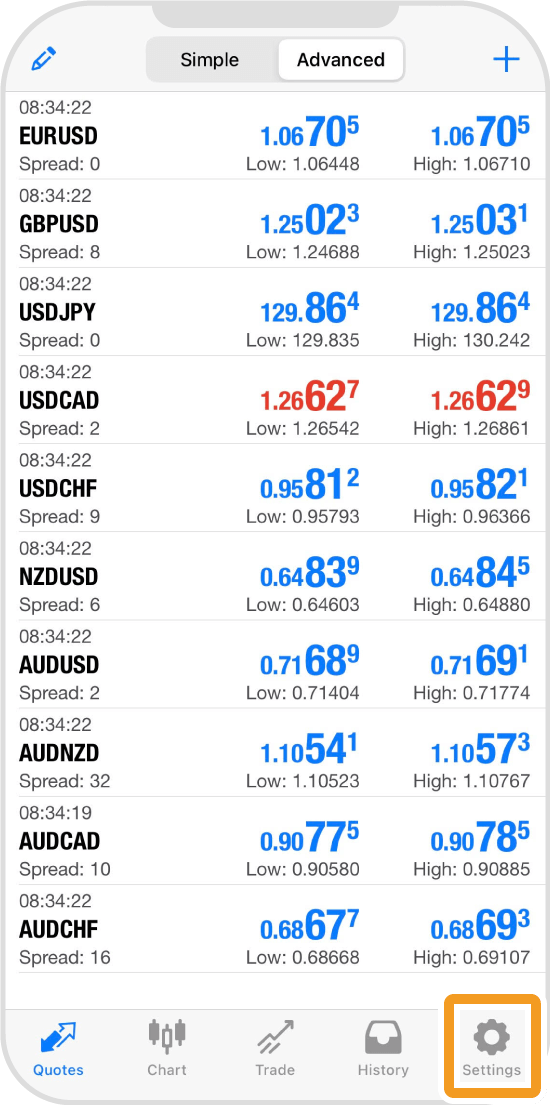
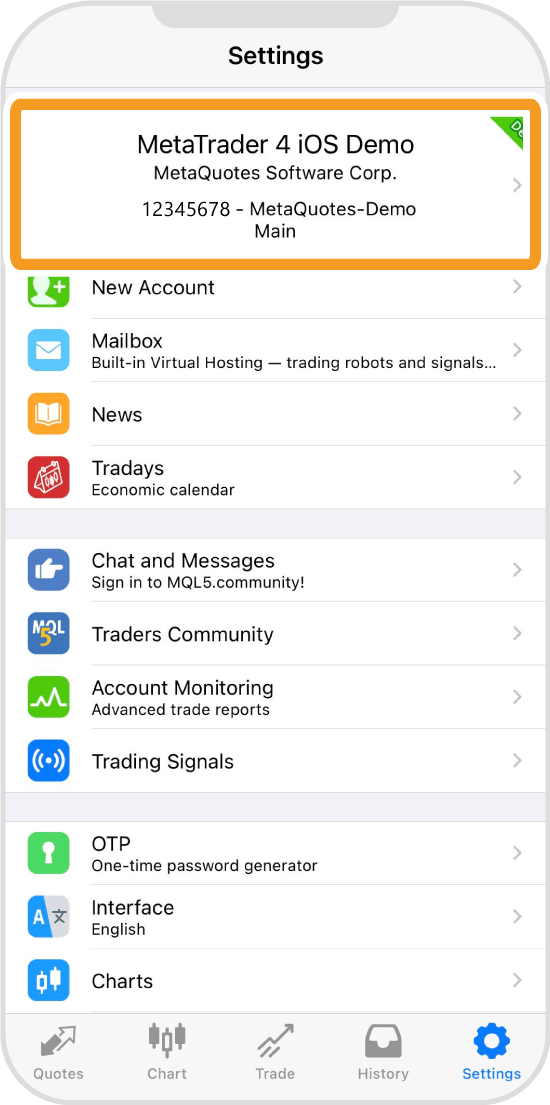
Tap the account info at the top.
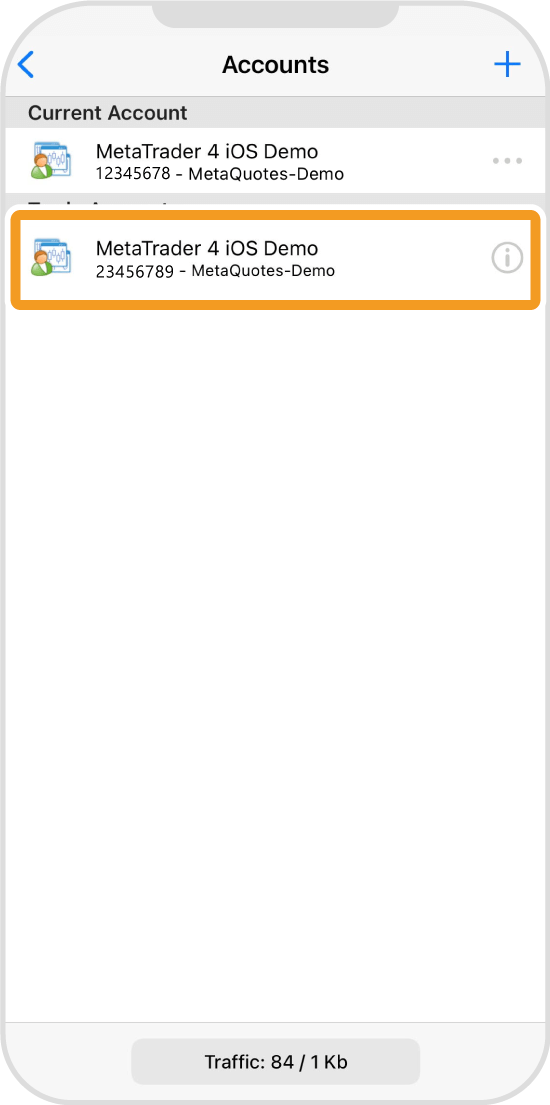
Tap the account you wish to switch to.
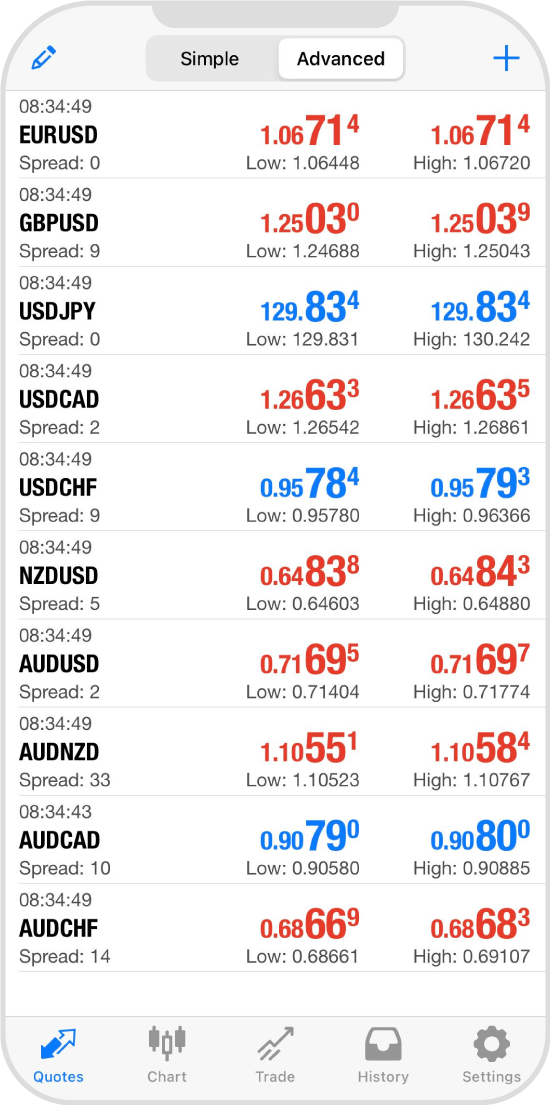
Once the account is switched, the "Quotes" tab will open.
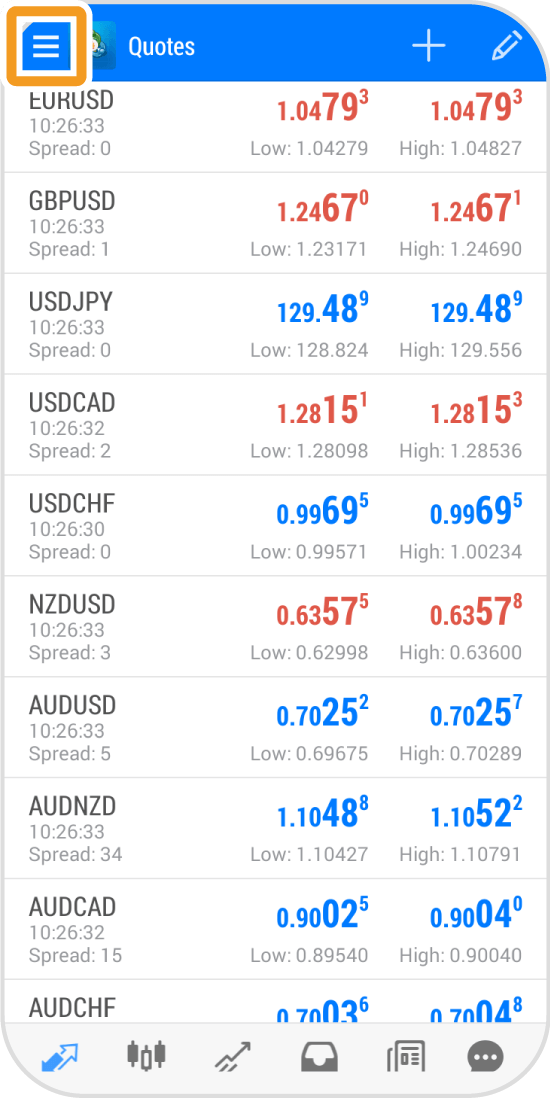
Tap the "Menu" icon in the top left corner.
Tap "Manage accounts".
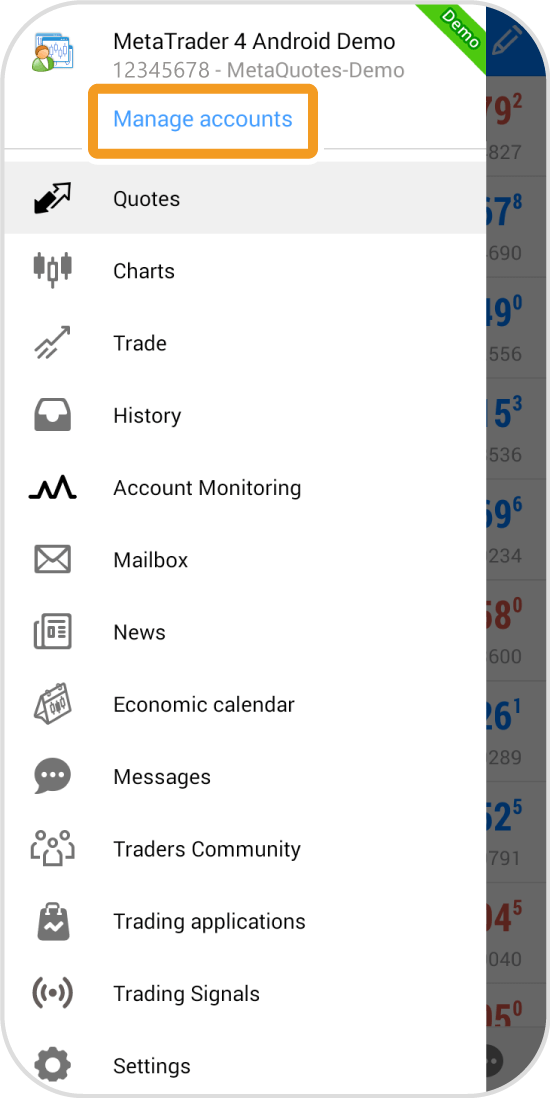
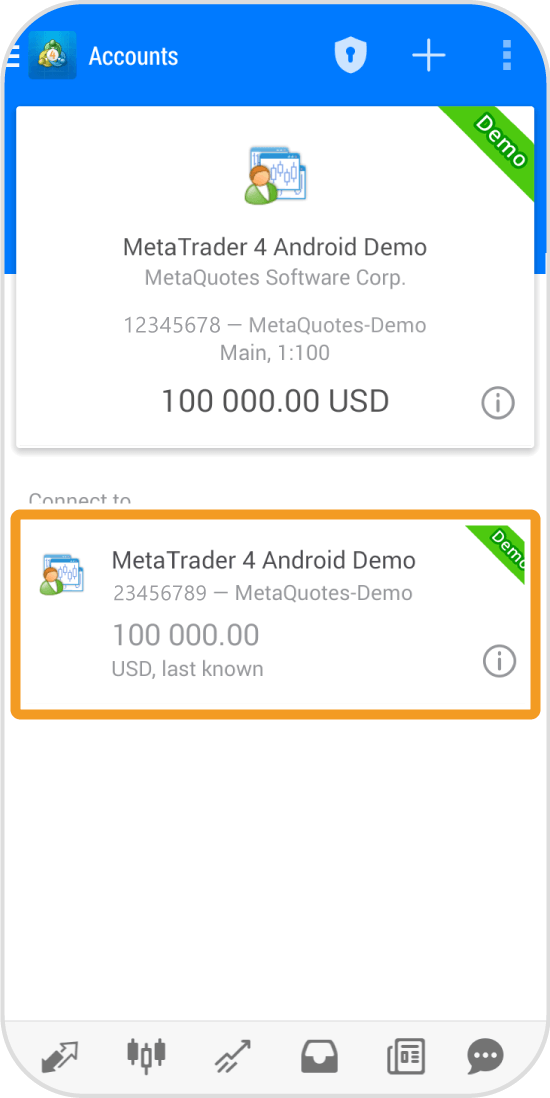
Tap the account you wish to switch to.
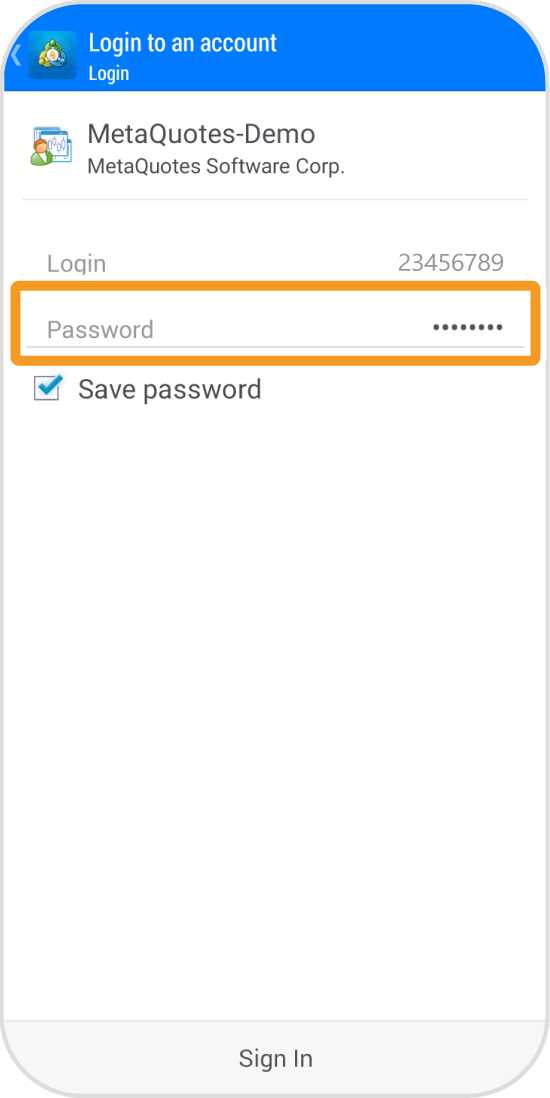
Enter your password. If the "Save password" is checked, you can skip this.
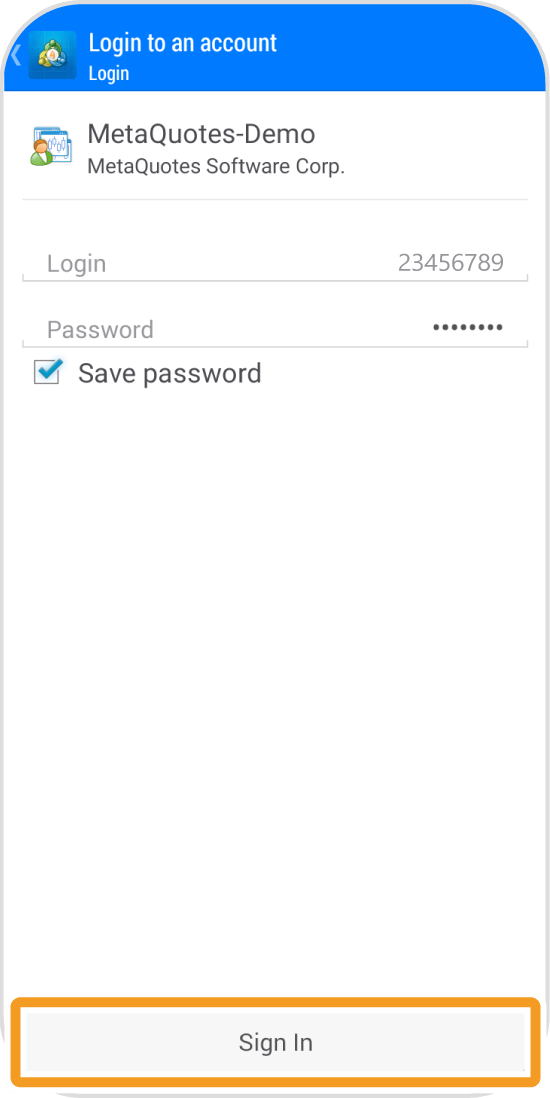
Tap "Sign in".
Once the account is switched, you will see your account details.
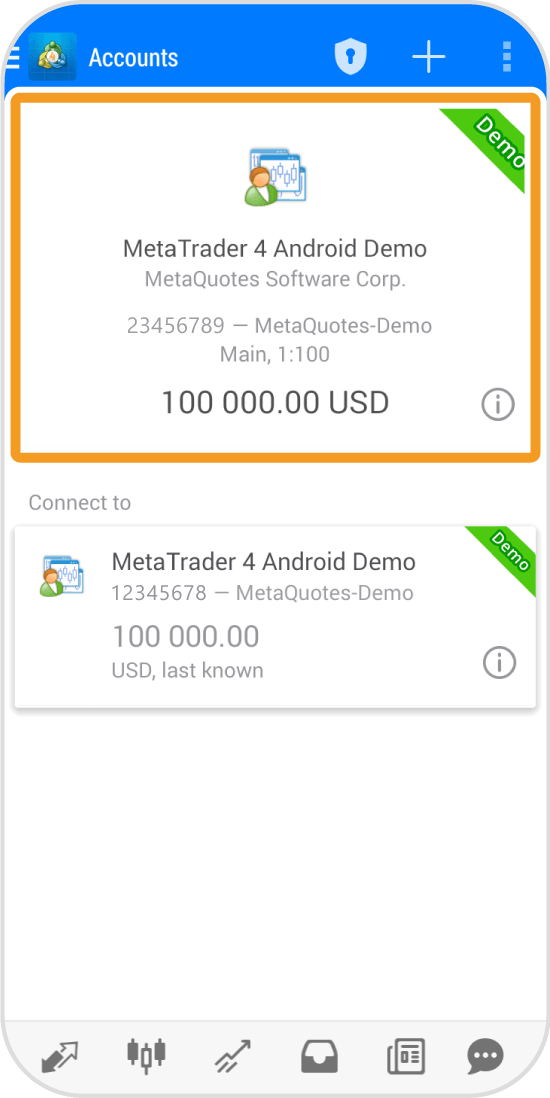
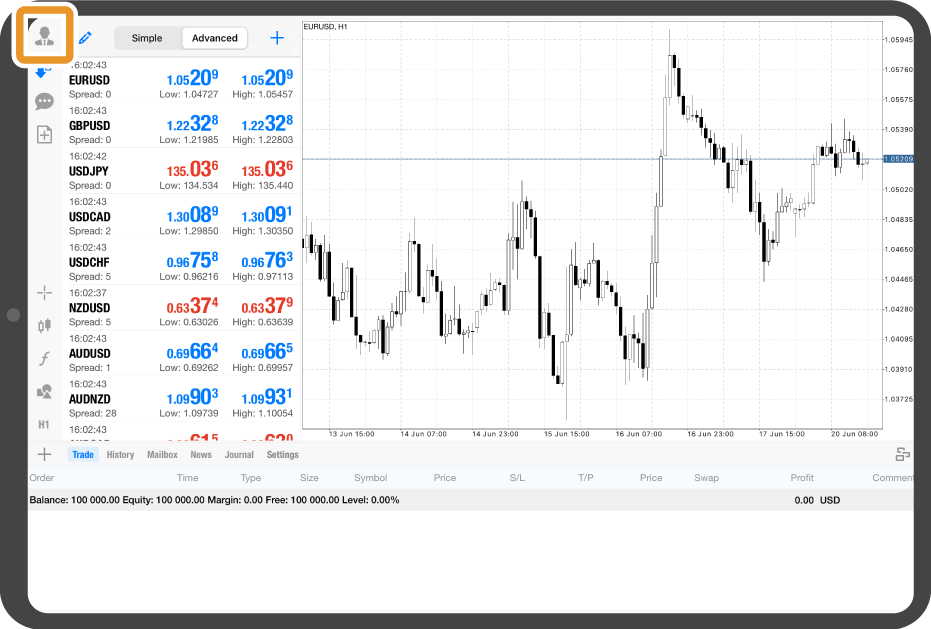
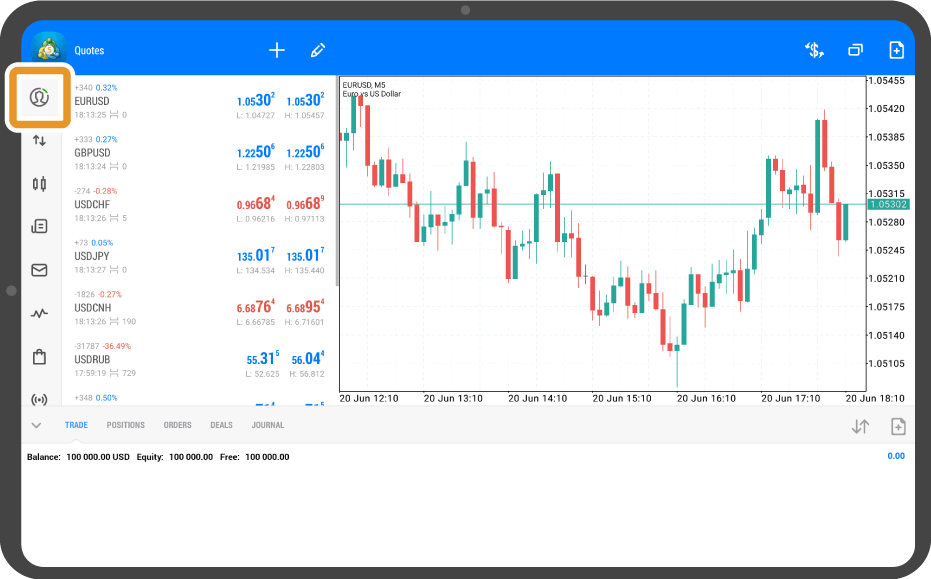
Tap the "Account" icon on the left menu.
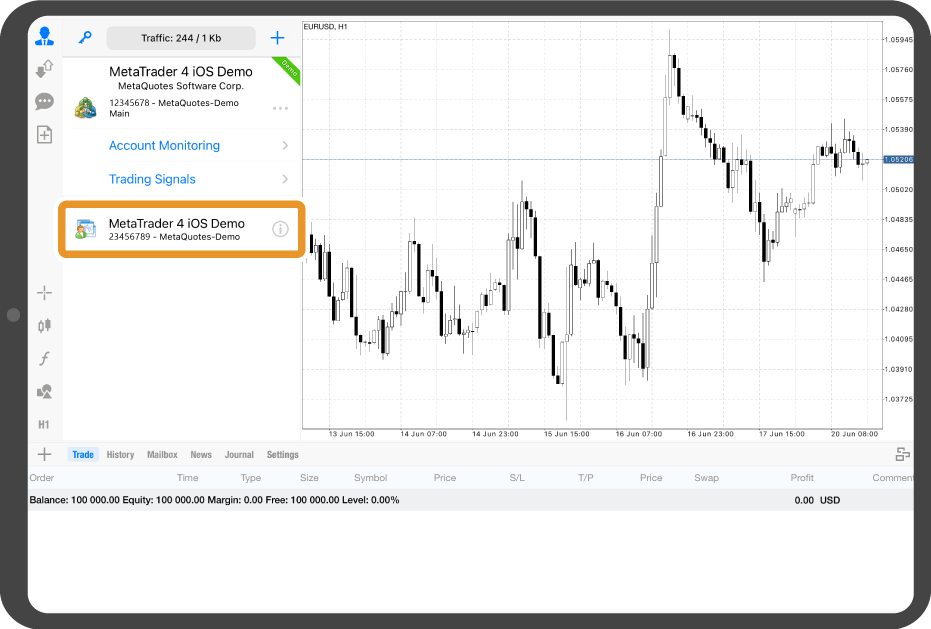
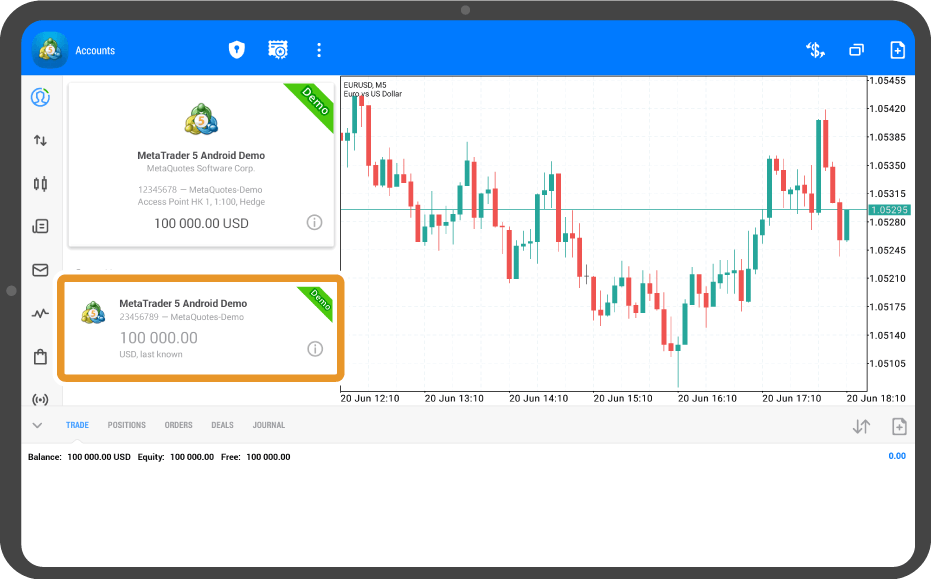
Tap the account you wish to switch to.
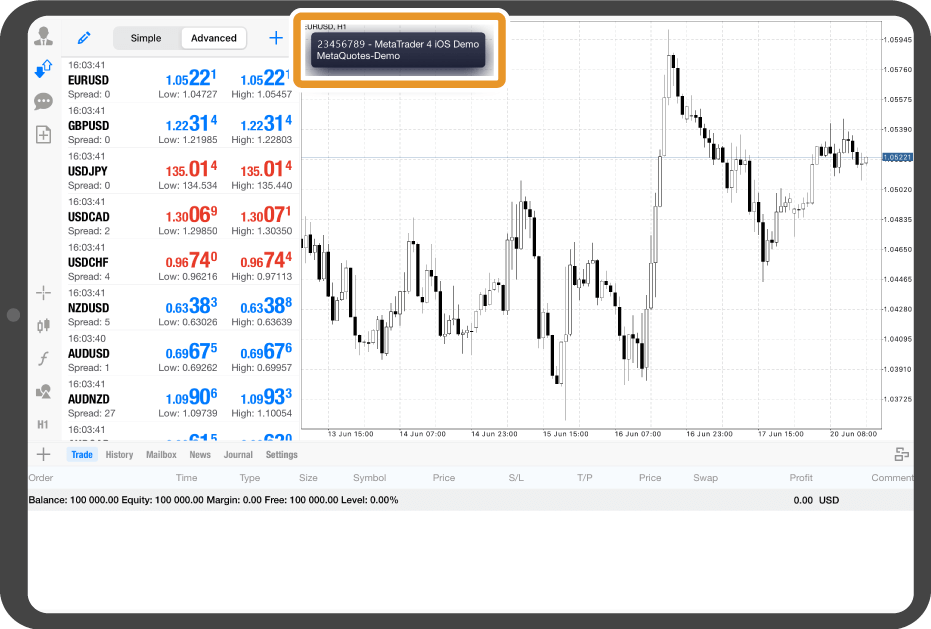
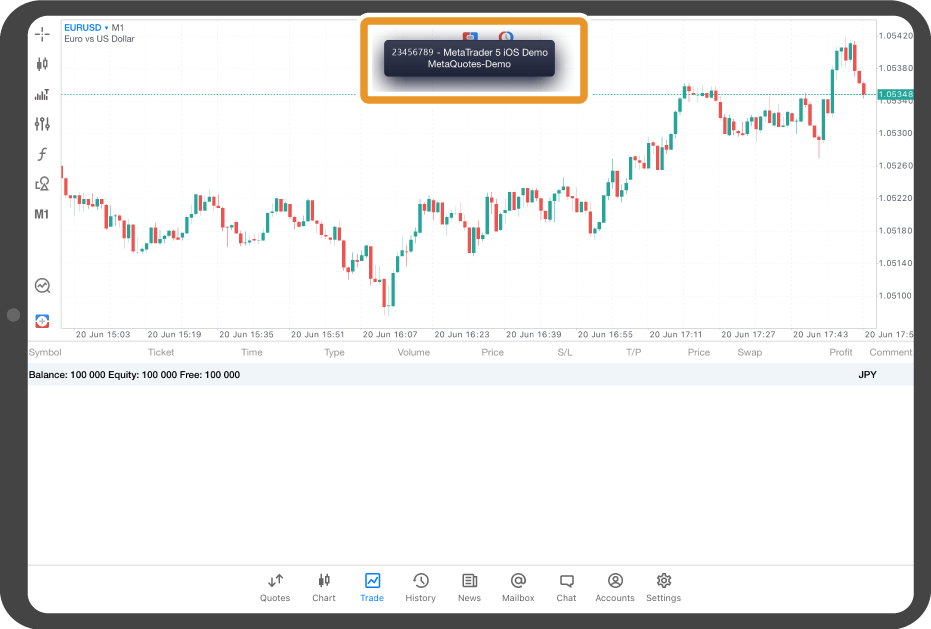
Once the account is switched, a black popup with your account number will appear.
Tap the "Account" icon on the left menu.
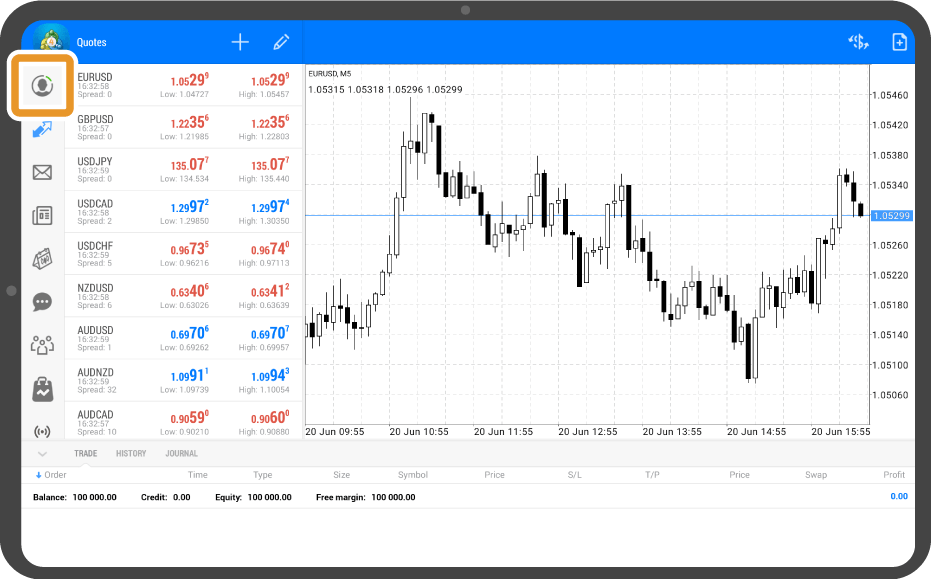
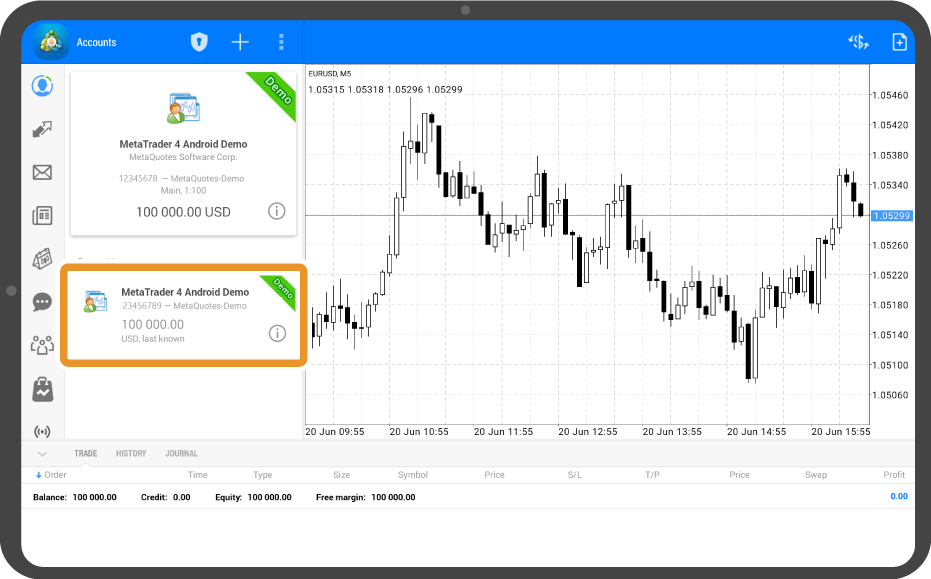
Tap the account you wish to switch to.
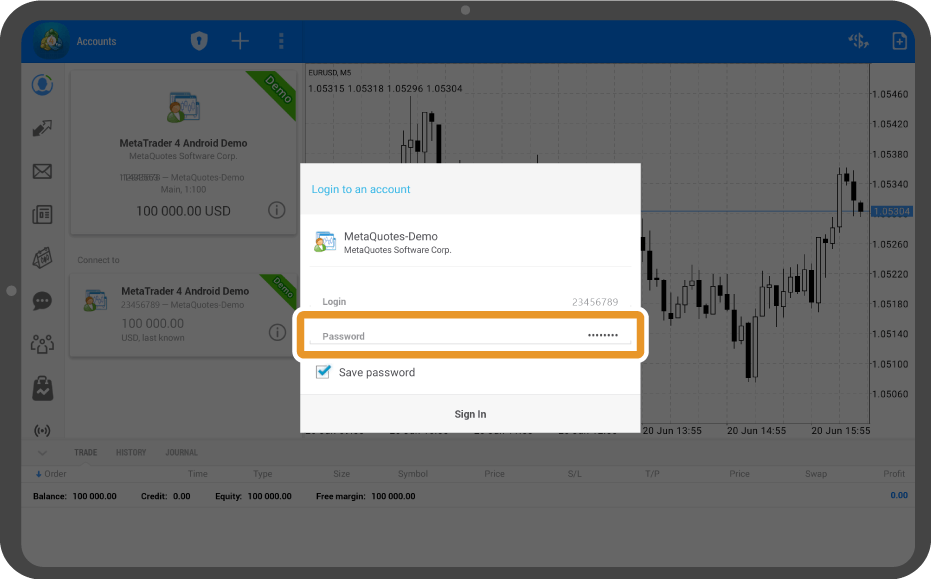
Enter your password. If the "Save password" is checked, you can skip this.
Tap "Sign in".
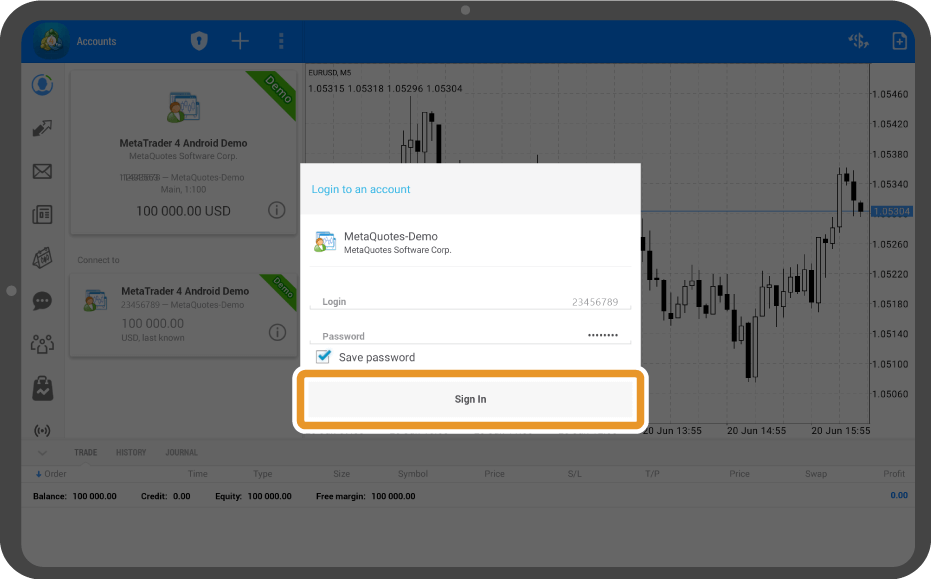
Once the account is switched, you will see your account details in the top left.
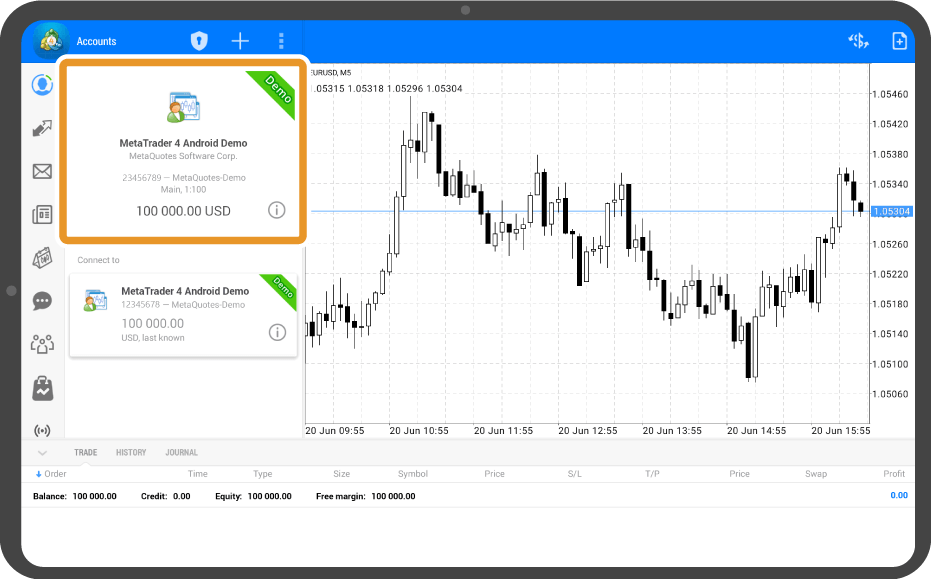
Tap "Settings" on the bottom navigation bar.
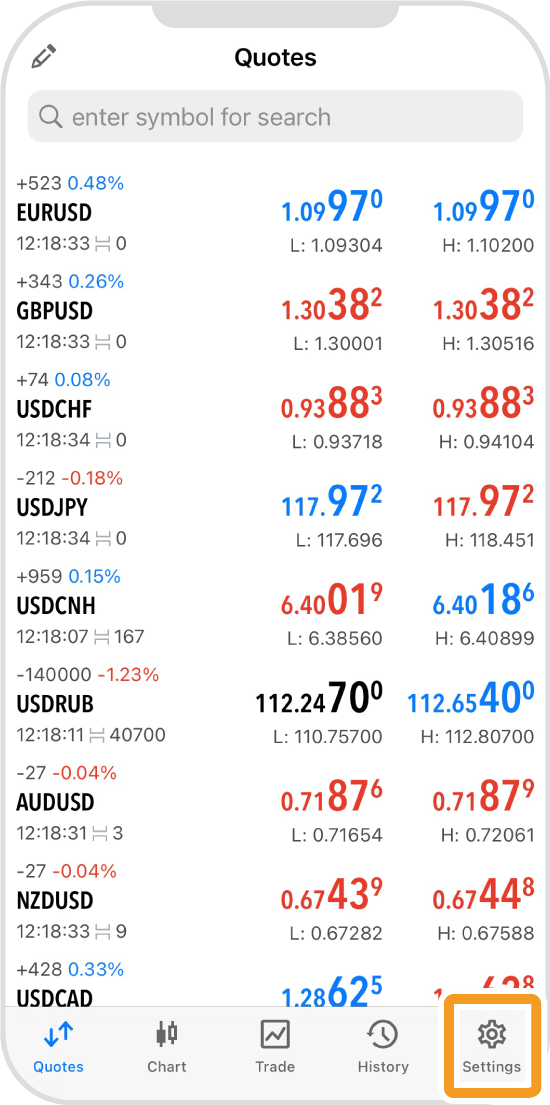
Tap the account info at the top.
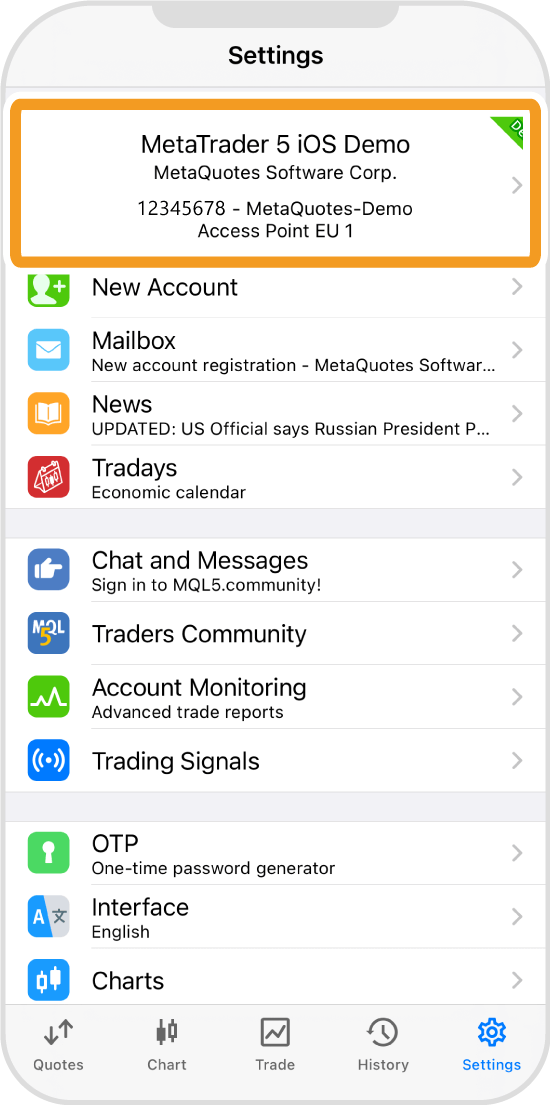
Tap the account you wish to switch to.
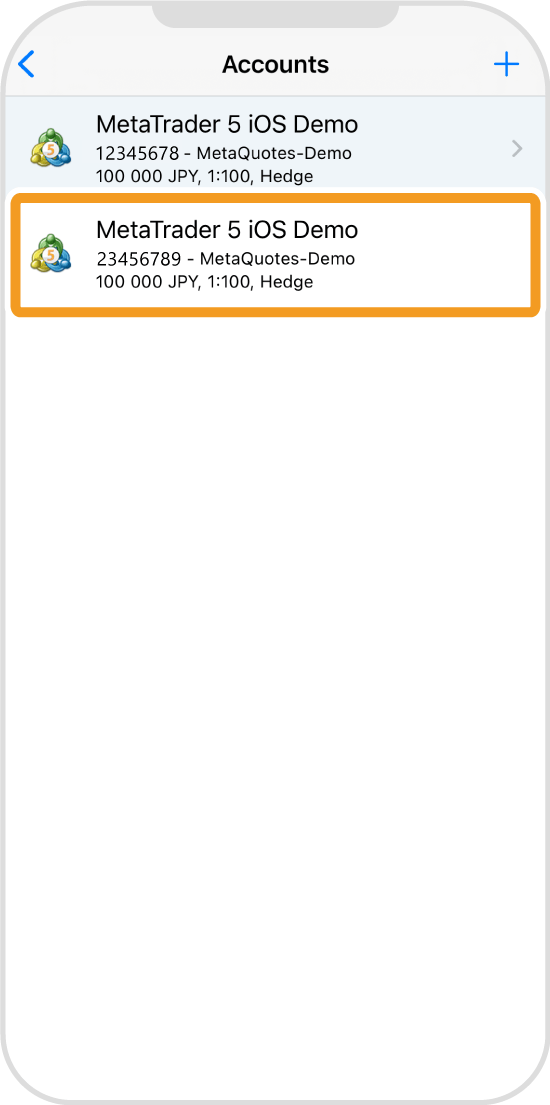
Once the account is switched, the "Trade" tab will open.
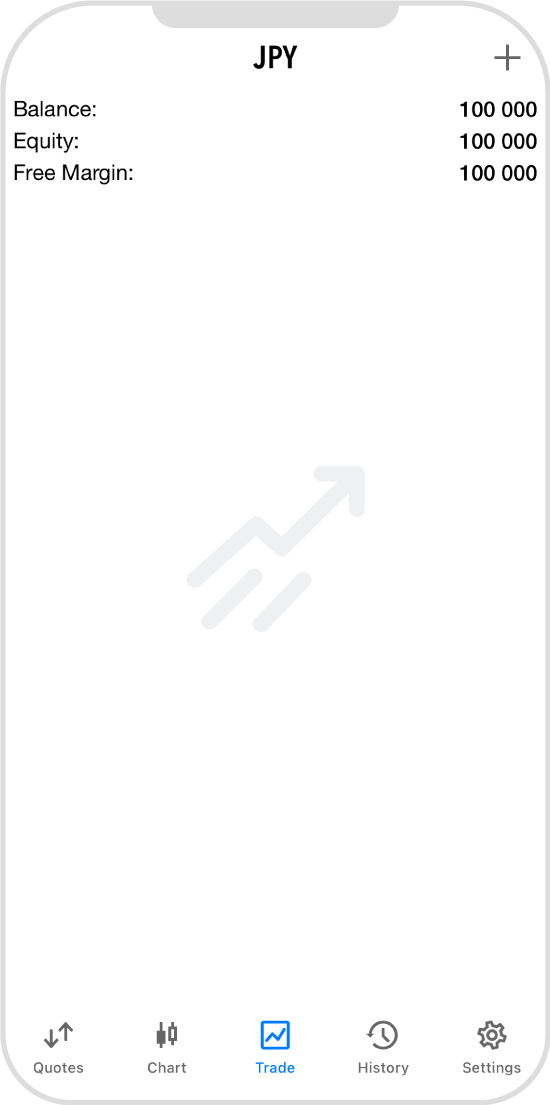
Tap the "Menu" icon in the top left corner.
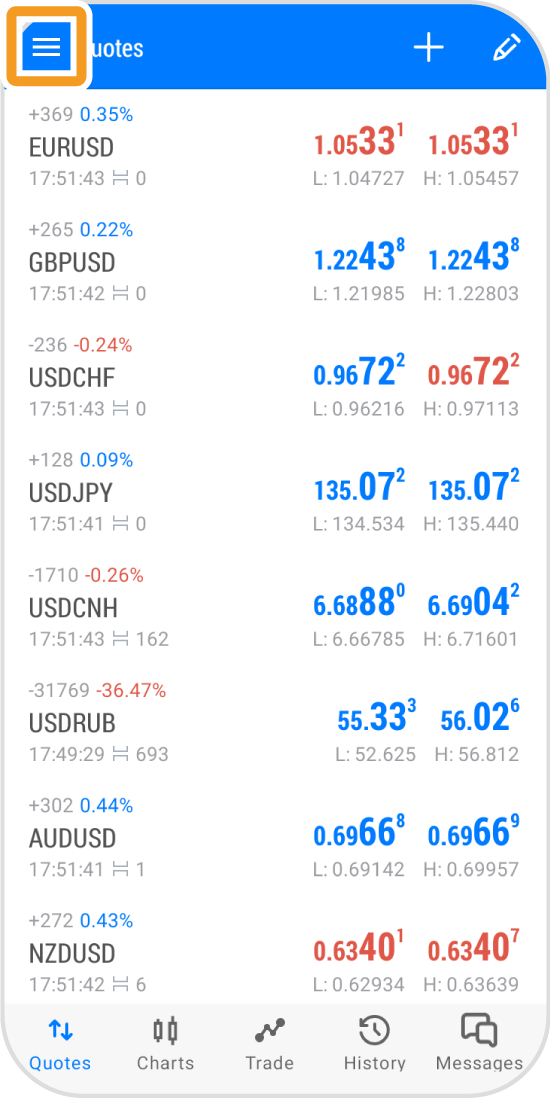
Tap "Manage accounts".
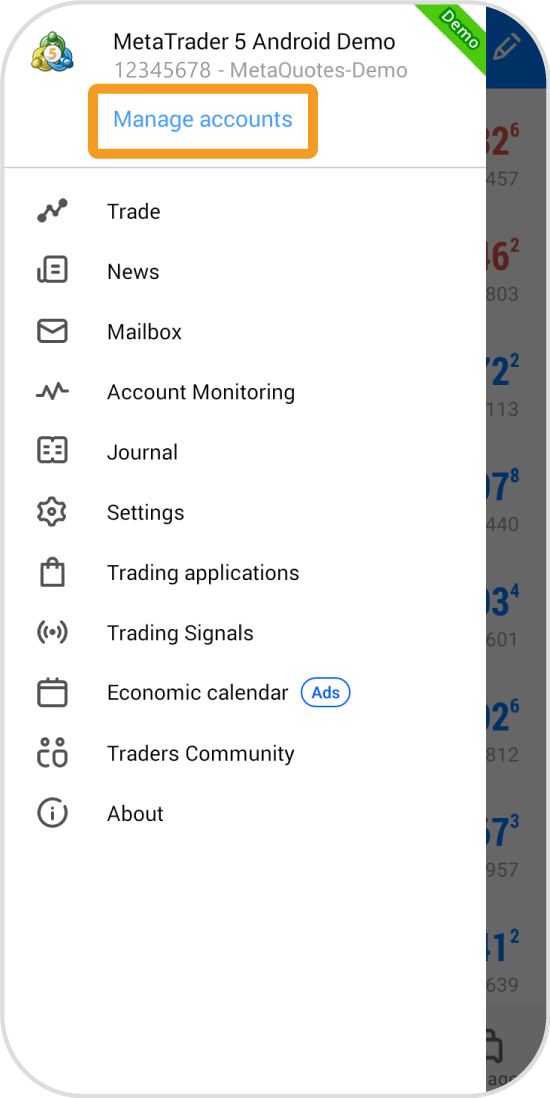
Tap the account you wish to switch to.
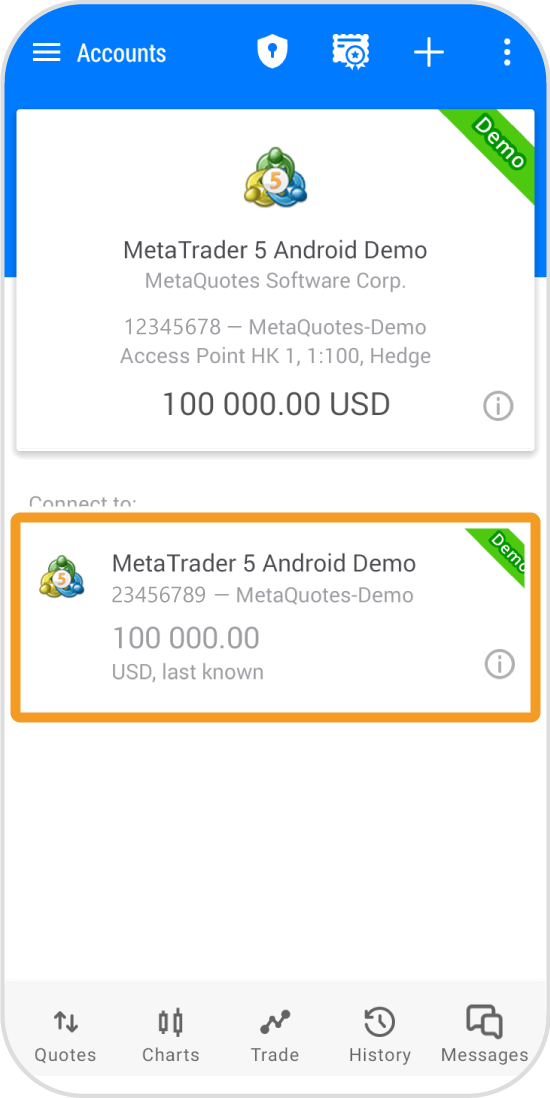
Enter your login ID and password. If the "Save password" is checked, you can skip this.
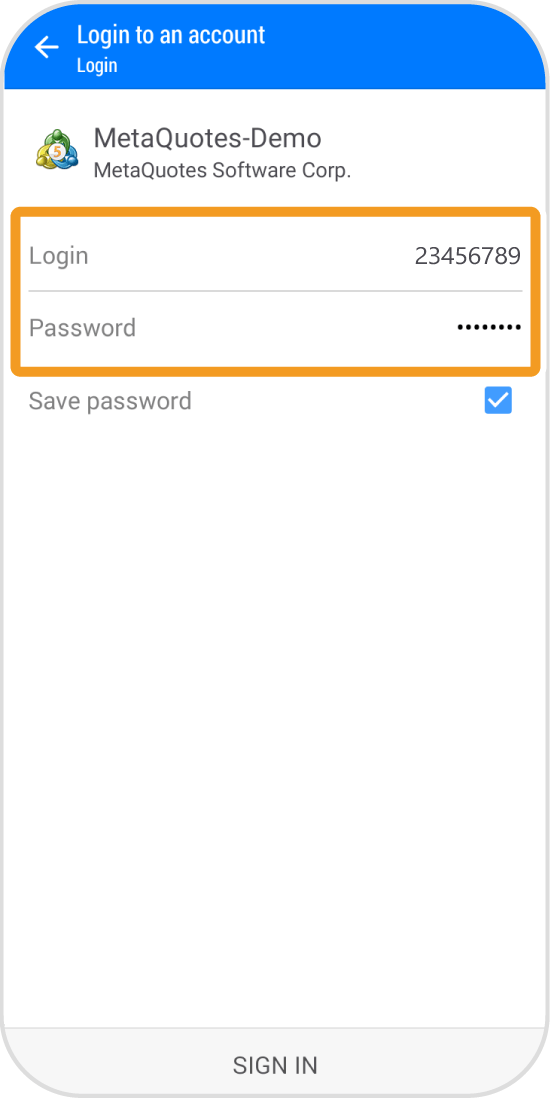
Tap "SIGN IN".
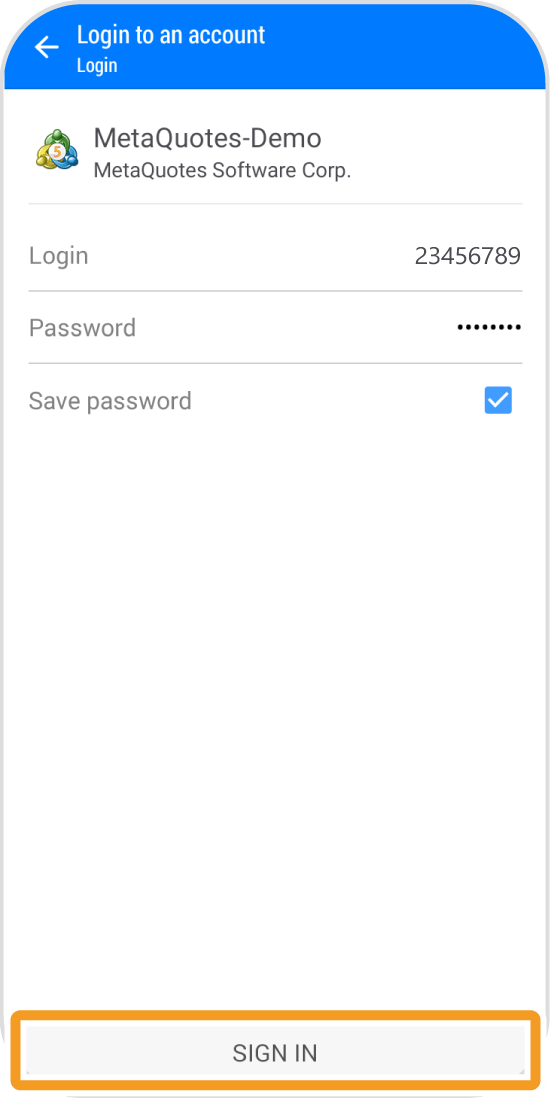
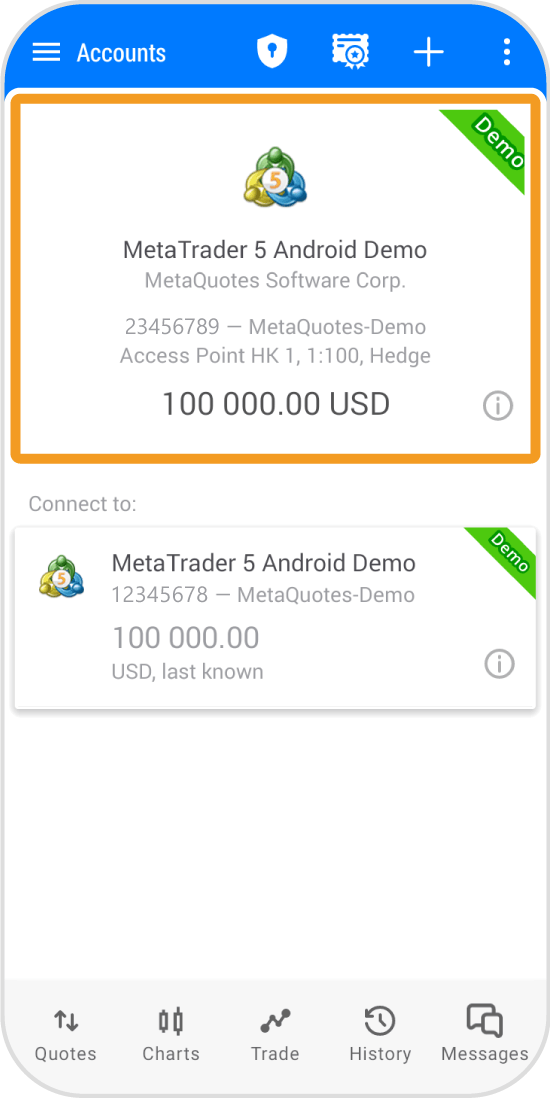
Once the account is switched, you will see your account details.
Tap the "Account" icon in the lower menu.
Tap the account you wish to switch to.
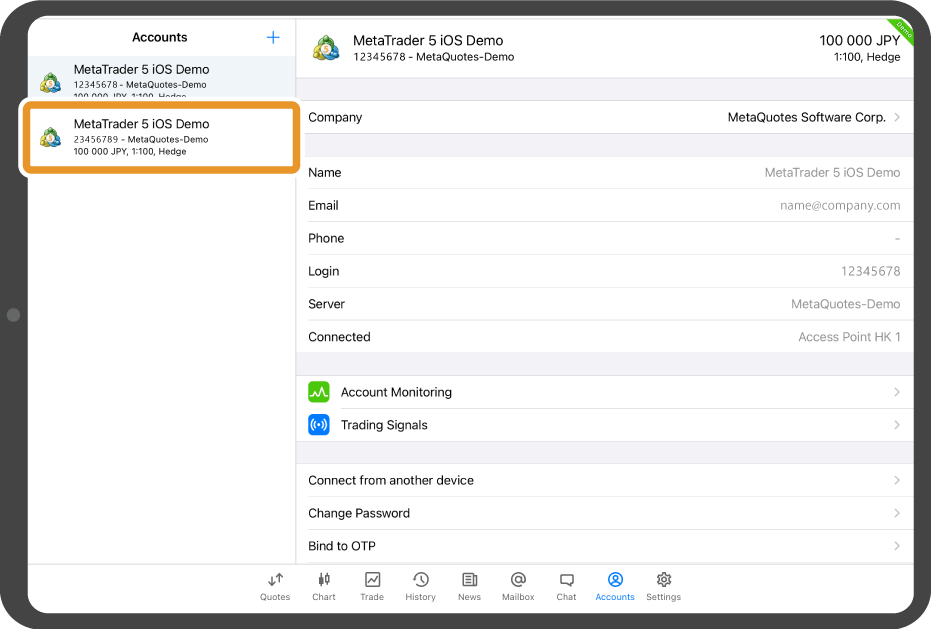
Once the account is switched, a black popup with your account number will appear.
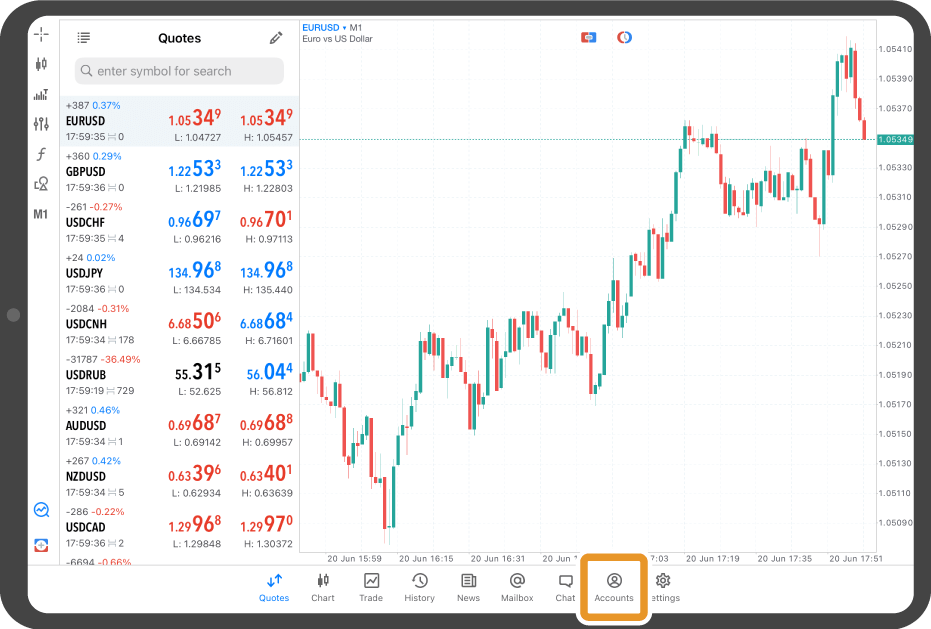
Tap "Accounts" in the bottom menu.
Tap the account you wish to switch to.
Enter your login ID and password. If the "Save password" is checked, you can skip this.
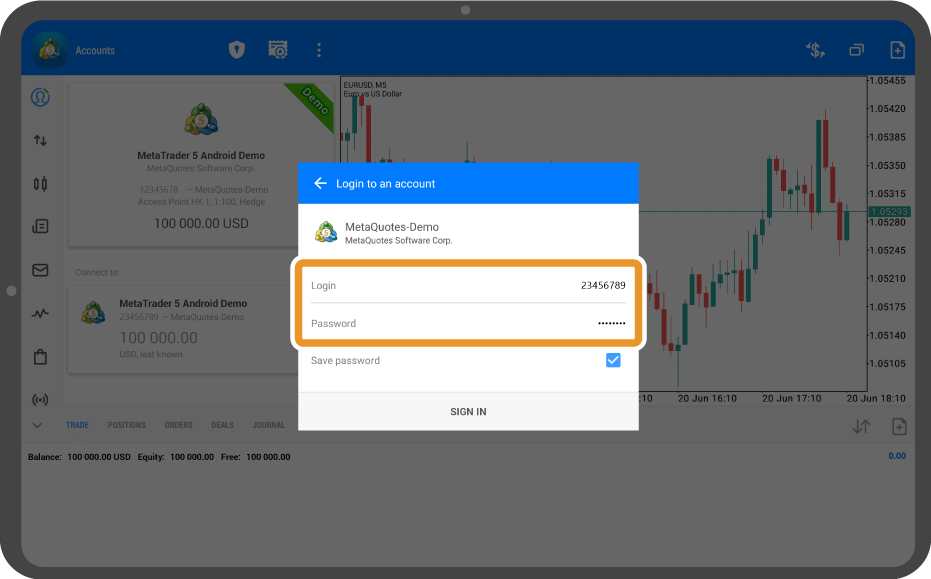
Tap "SIGN IN".
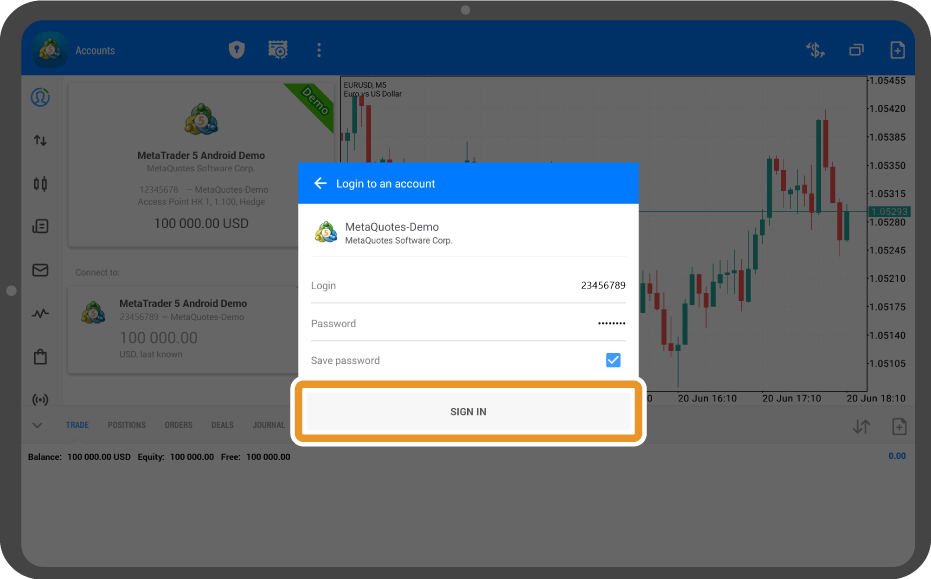
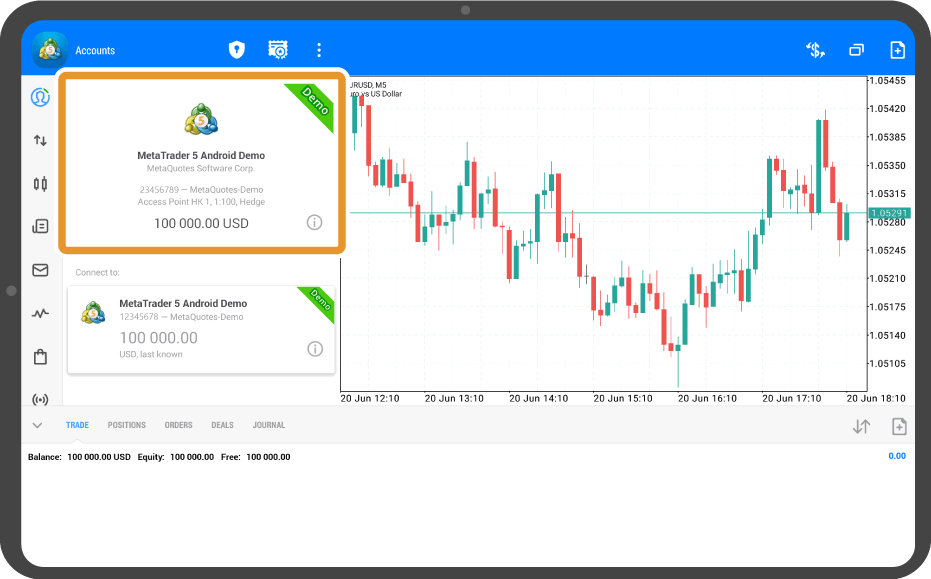
Once the account is switched, the new account details will appear on the right.

Created
: 2022.07.13

Last updated
: 2026.03.18

Nakamaru is a manual production consultant at FINTECS, a company that specializes in creating manuals for their clients.
With a wide range of experience from fintech to entertainment, he presents what user-friendly manuals should be like.
He works with numerous large corporations as an external manual production project manager.
【Business information】
http://www.fintecs.co.jp/profile/
Akira Takagi
Systems engineer, MetaTrader administrator


After graduating from Computer Science at the Uninove, Brazil, in 2014, he has worked on various systems development projects.
He participated as a developer in the launch of forex services in 2019. Since then, he has also been involved in the development of MetaTrader plugins and APIs. He is certified by MetaQuotes as a MetaTrader5 Administrator and active in consulting and advisory as well.
We hope you find this article useful. Any comments or suggestions will be greatly appreciated.
We are also looking for writers with extensive experience in forex and crypto to join us.
please contact us at [email protected].

MT4/MT5: Delete an account from list
2022.07.13
2026.03.18
Here we'll look at the steps required to delete the account saved on the MetaTrader4 (MT4) / MetaTrader5 (MT5) app for Android and iOS mobile devices. Open the account list in the MT4/MT5 app and delete an account.

MT4/MT5: Add a new account
2022.07.13
2026.03.18
Here we'll look at the steps required to add multiple accounts to the MetaTrader4 (MT4) / MetaTrader5 (MT5) app on Android and iOS mobile devices. You can add more than one account to your MT4/MT5 app and switch between them regardless of the broker.

MT4/MT5: Use one-time password
2022.07.13
2026.03.18
If you want to use a one-time password on the MetaTrader4 (MT4) / MetaTrader5 (MT5) for PC, you can get a one-time password after linking to the MT4/MT5 app for iOS and Android mobile devices. It can be used for the two-step authentication when logging in to the MT4/MT5 for PC.
Login to MT4/MT5
2022.07.12
2025.06.26
Here we'll look at the steps required to login to the MetaTrader4 (MT4) / MetaTrader5 (MT5) app on Android and iOS mobile devices. For every device, enter the broker name in the search box, select your server, and then enter your login ID and password to complete the login process.

MT4/MT5: Login error message
2022.07.12
2026.03.18
If login to the MetaTrader4 (MT4) / MetaTrader5 (MT5) app fails on Android and iOS mobile devices, you will get an error message. In this case, make sure that you have entered account info correctly and try again.
Disclaimer:
All information and content provided on this website is provided for informational purposes only and is not intended to solicit any investment. Although all efforts are made in order to ensure that the information is correct, no guarantee is provided for the accuracy of any content on this website. Any decision made shall be the responsibility of the investor and Myforex does not take any responsibility whatsoever regarding the use of any information provided herein.
The copyright in our content belongs to us.
We welcome your use of our content within appropriate limits, including use through our sharing features, sharing on social media, and quotation. However, please refrain from unauthorized reuse, including but not limited to commercial use, reproduction with modification of content, or reproduction on websites that compete with us. We may take necessary measures, including but not limited to deletion of the relevant content, if we consider that the content has been used in an inappropriate or unauthorized manner.



Myforex uses cookies to improve the convenience and functionality of this website. This website may include cookies not only by us but also by third parties (advertisers, log analysts, etc.) for the purpose of tracking the activities of users. Cookie policy