- English


- English
- What's Myforex
- Share
- Use tools
- Get information
- What's New
- Help center
- About us
- Customer support
- Terms and policies




-

-
 Real-time spread comparisonCompare spreads of major retail brokers in real time
 -
 Volatility analysisVisualize volatility as a measure of daily market activity
 -
 Swap point comparisonCompare buy and sell swap values for each broker by symbol
 -
 Market rates & chartsCheck prices for all instruments offered by each broker
 -
 IndicatorsProviding in-house developed indicators for MT4/MT5
 -
 Trading calculatorsCalculation tools for each broker to help you trade


Historical Strength Graph

- Overview
- How to install
- How to set up

Display:


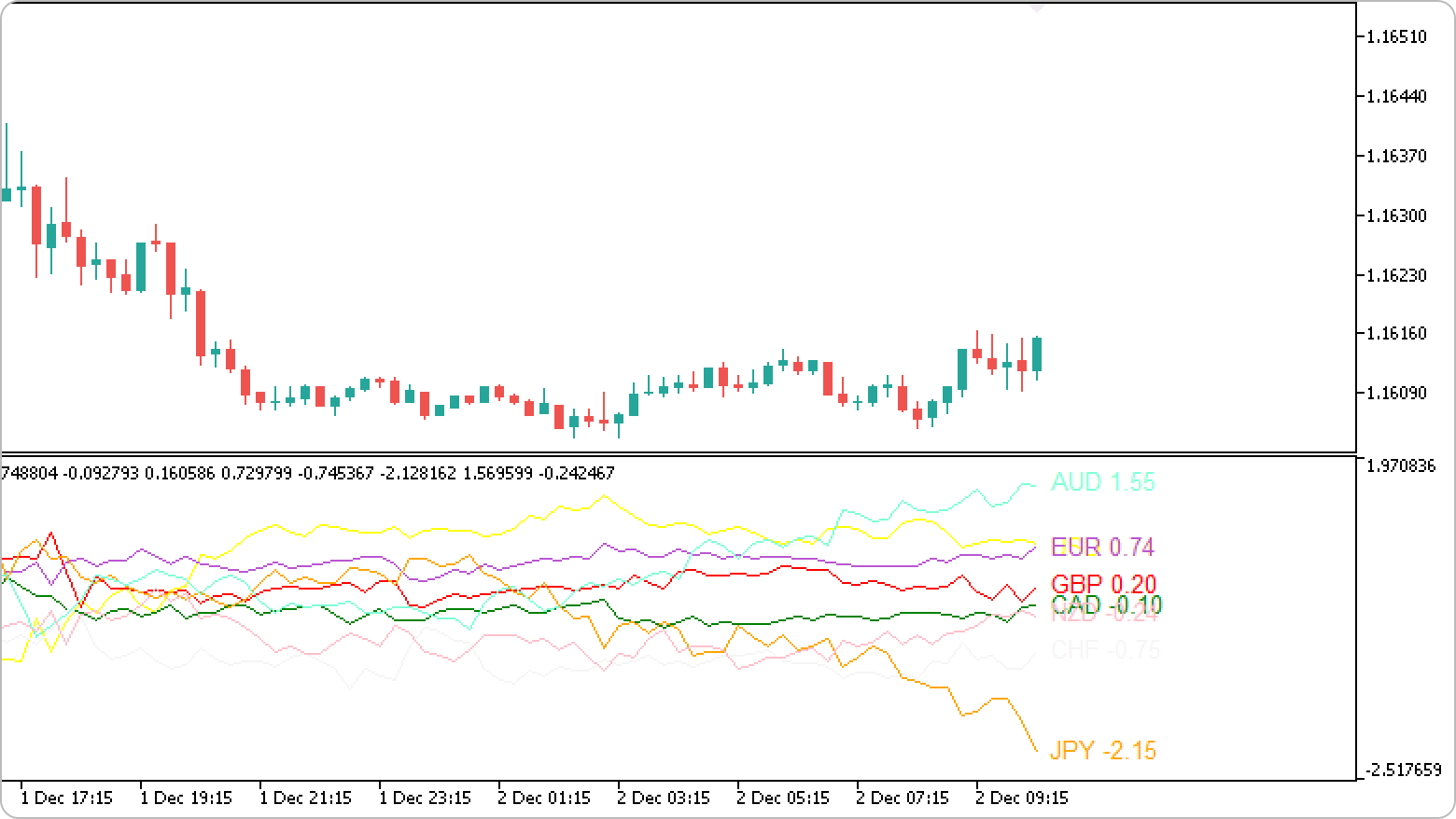
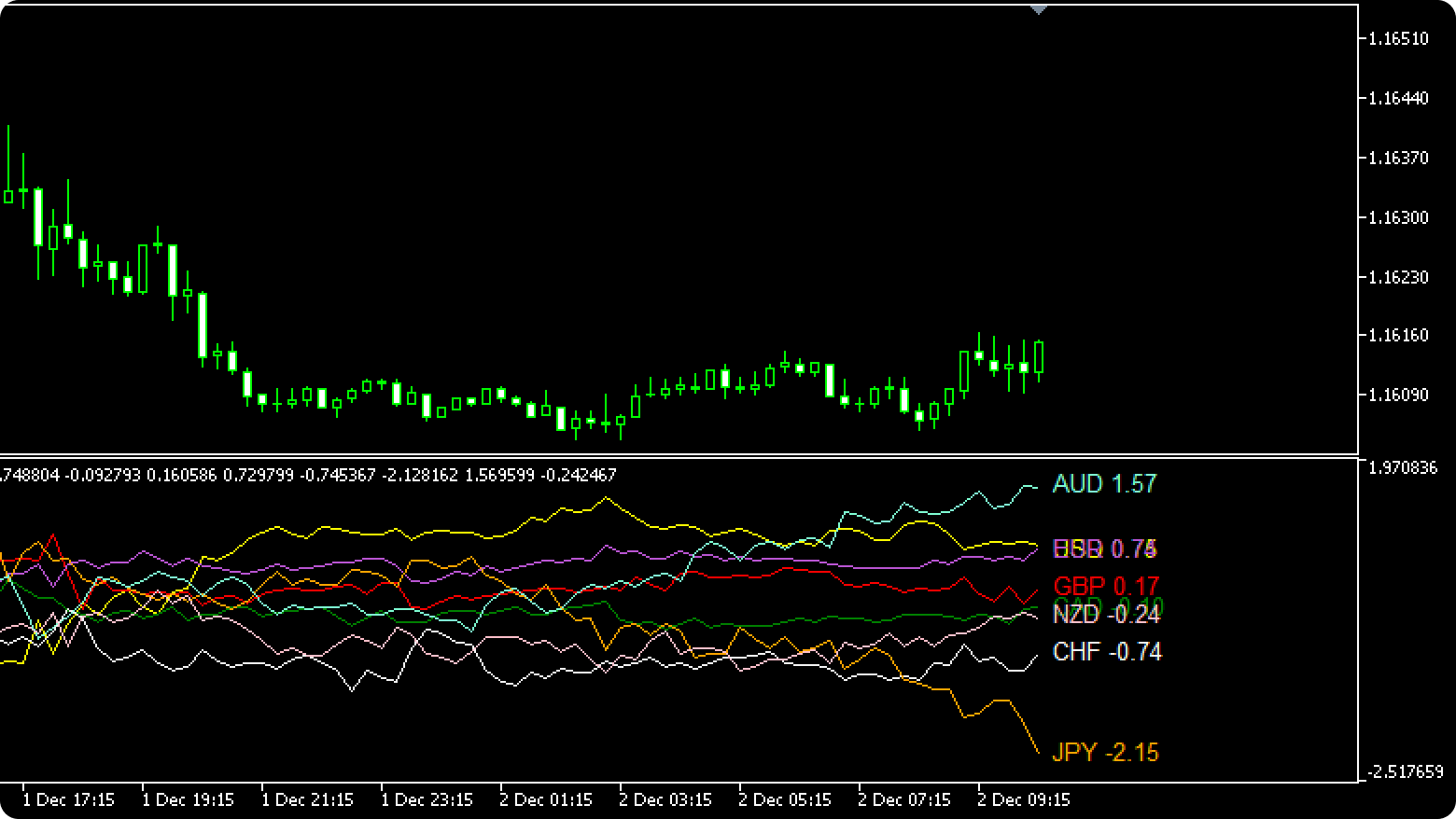
The Historical Strength Graph displays the strengths of eight major currencies, featuring real-time data and a historical line chart for a specified period.

Features
Analyze trends by currency strength
With the Historical Strength Graph, you can quickly grasp the relative strengths of different currencies to support your analysis of currency pairs. For example, if the Australian Dollar (AUD) has a higher value than the New Zealand Dollar (NZD), i.e. if AUD is stronger than NZD, it indicates an upward trend in the AUDNZD pair.
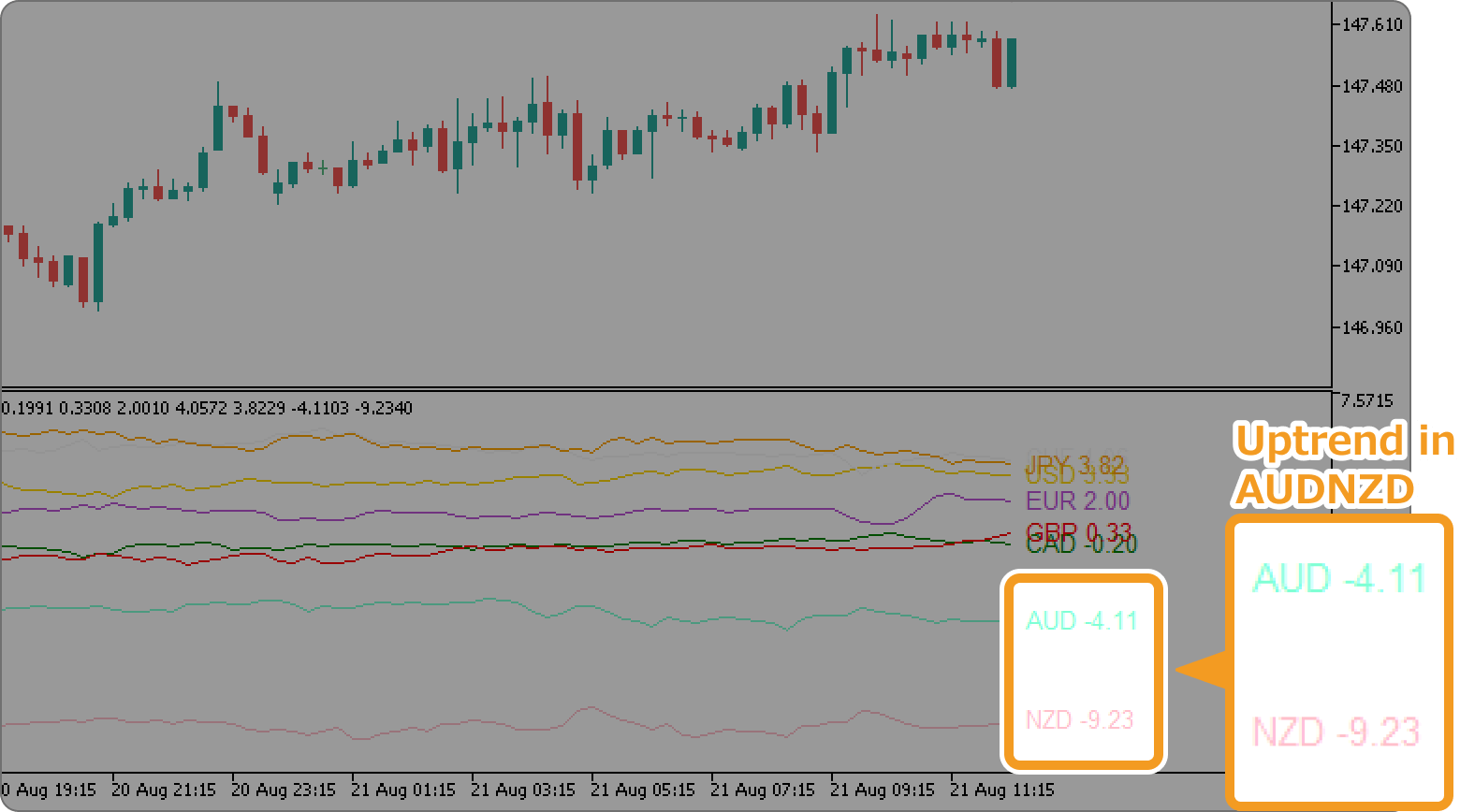
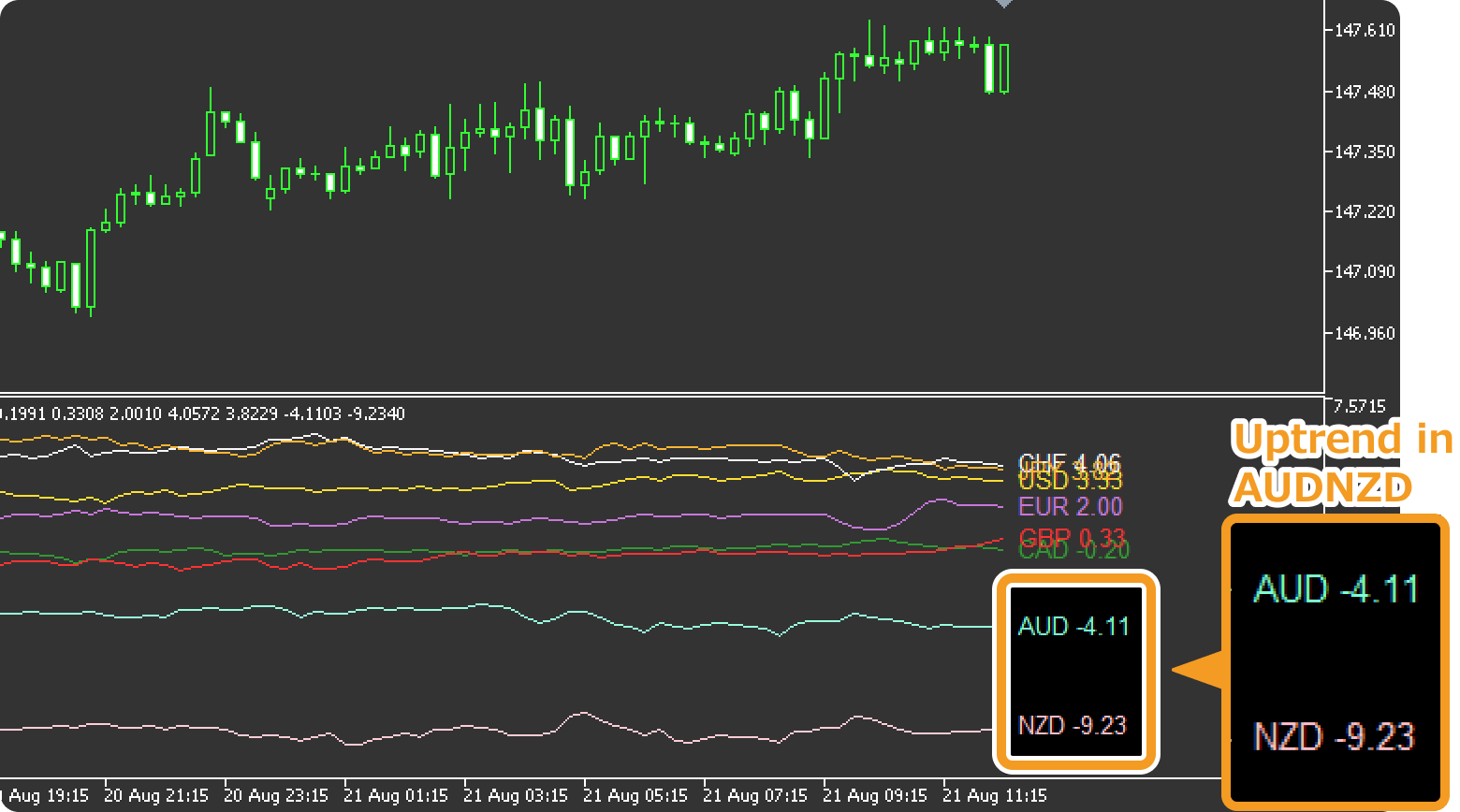
The Historical Strength Graph supports the following eight currencies.
- USD (United States dollar)
- EUR (Euro)
- GBP (British pound)
- JPY (Japanese yen)
- CAD (Canadian dollar)
- CHF (Swiss franc)
- AUD (Australian dollar)
- NZD (New Zealand dollar)
By default, the tool calculates currency strengths by comparing the price movements of all eight currencies. The currency with the highest value is considered the strongest among them.
Calculate strengths for selected currencies
To focus on specific currencies, enable "Specified currency only" and list the currencies in "Specified currency" within the Inputs parameters. For example, if you enter USD, JPY, EUR, the tool will compare only these three currencies to calculate their relative strengths.
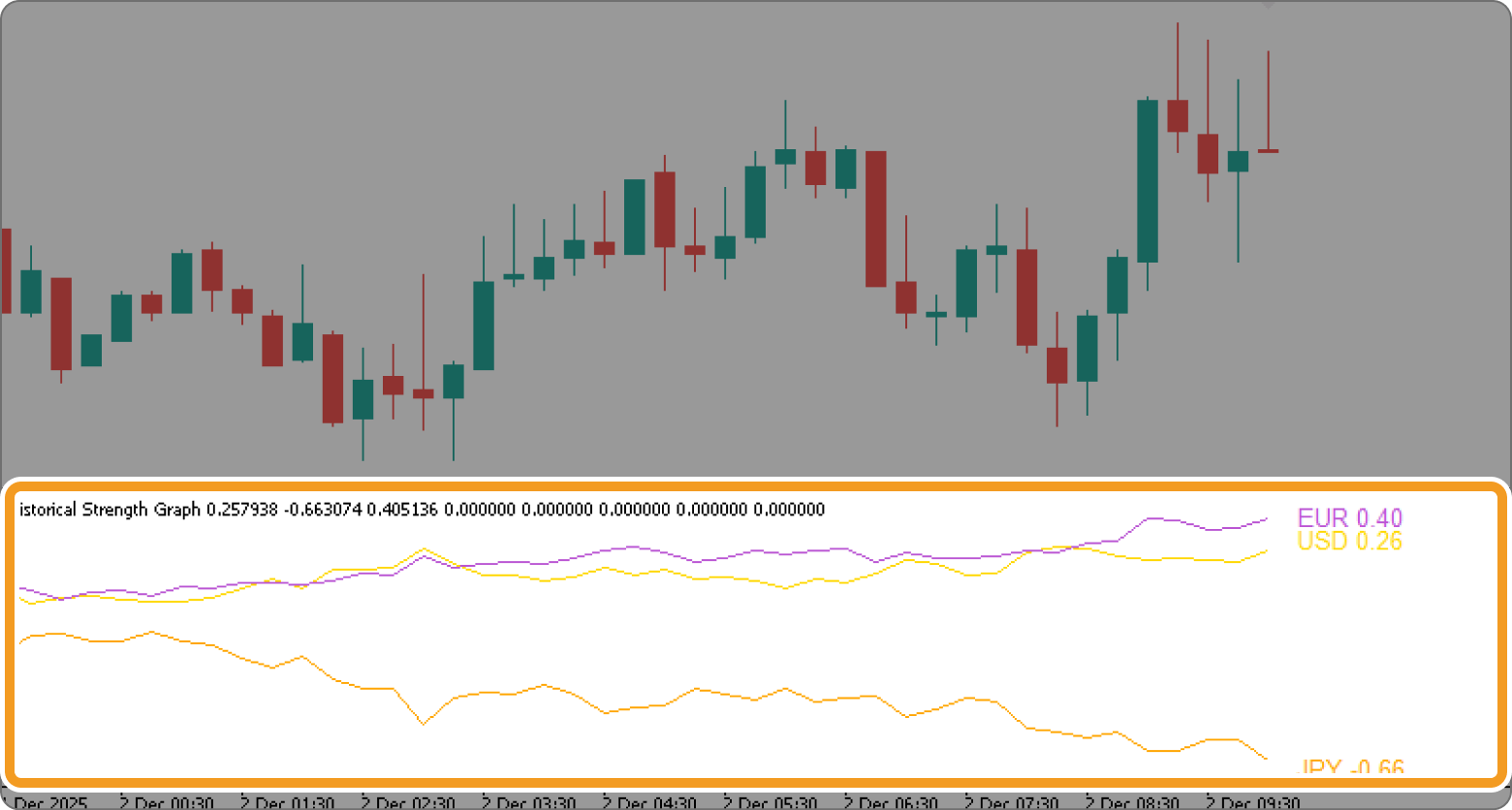
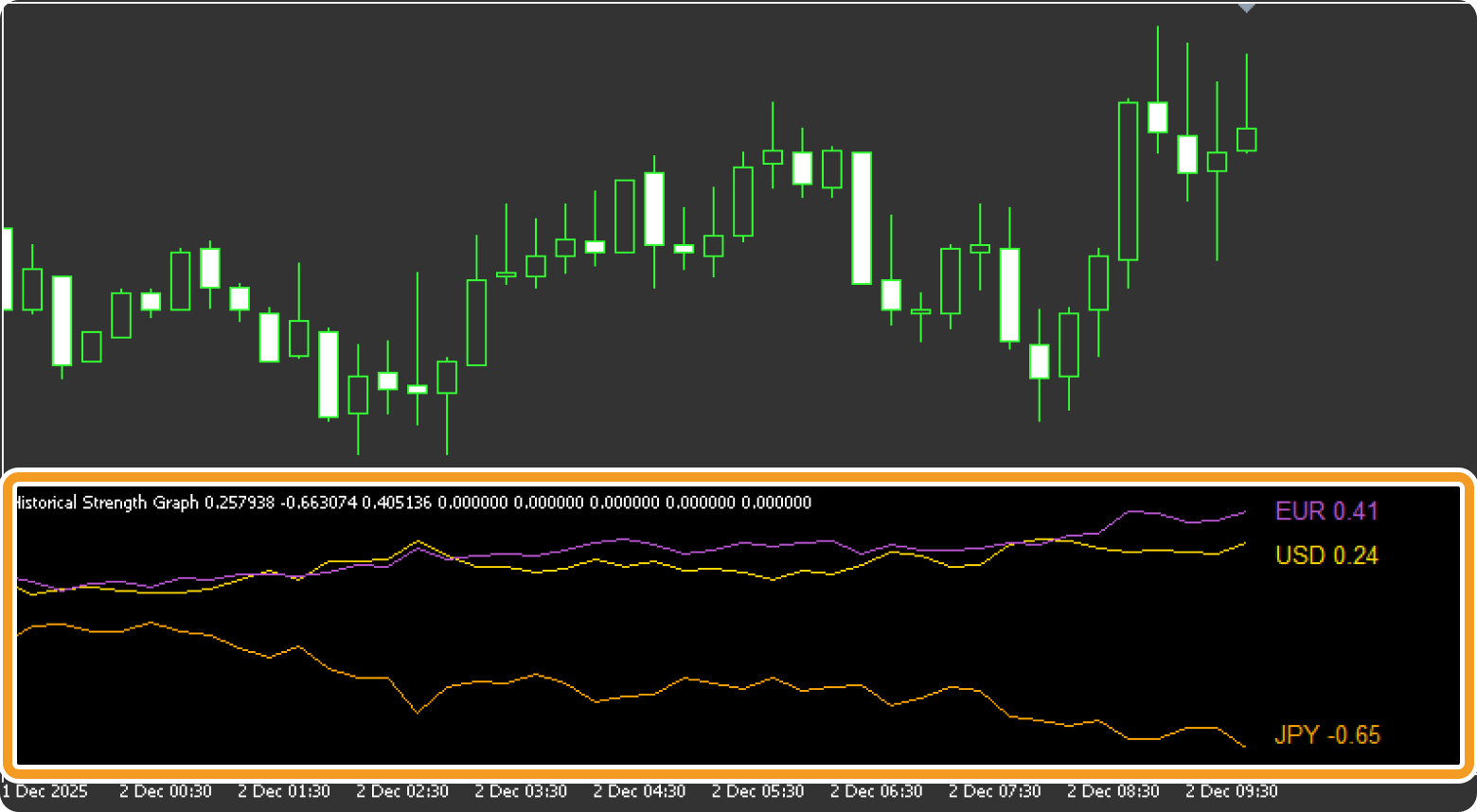
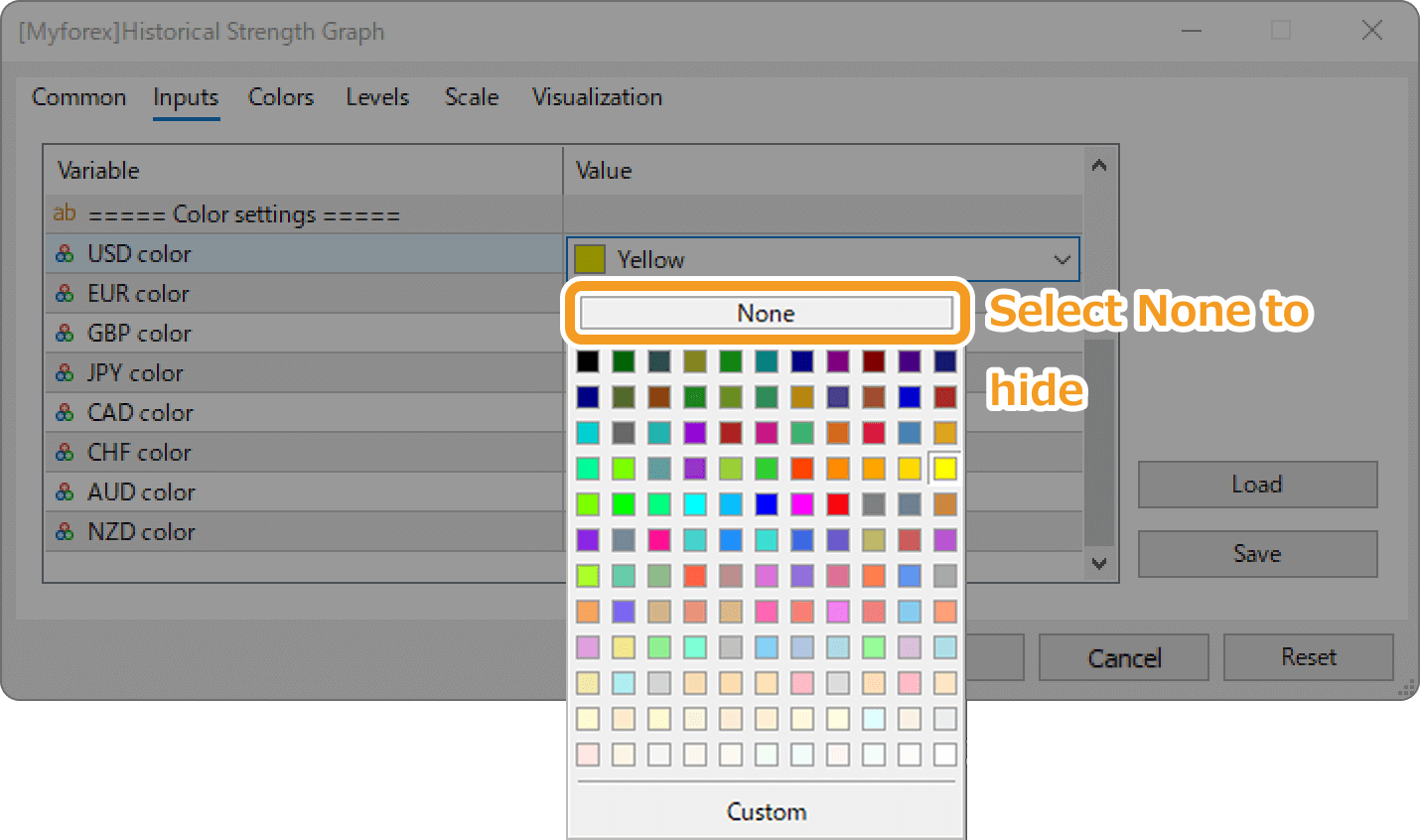
It's also possible to calculate strengths for all eight currencies but display only some. Keep "Specified currency only" off, and choose None in the color settings for the currencies you wish to hide.
Customize calculation & display period
By adjusting "Calculation period" and "Display period" in the Inputs parameters, you can customize the chart. "Calculation period" determines the timeframe of data used for the calculation, while "Display period" sets the timeframe displayed on the chart.
Entering "12" in "Calculation period" calculates strengths using the past 12 hours of price movements. To display all the results as a line chart, the "Display period" must be set above a certain value. For example, "48" or more on a 15-minute chart, or "3" or more on a 4-hour chart.
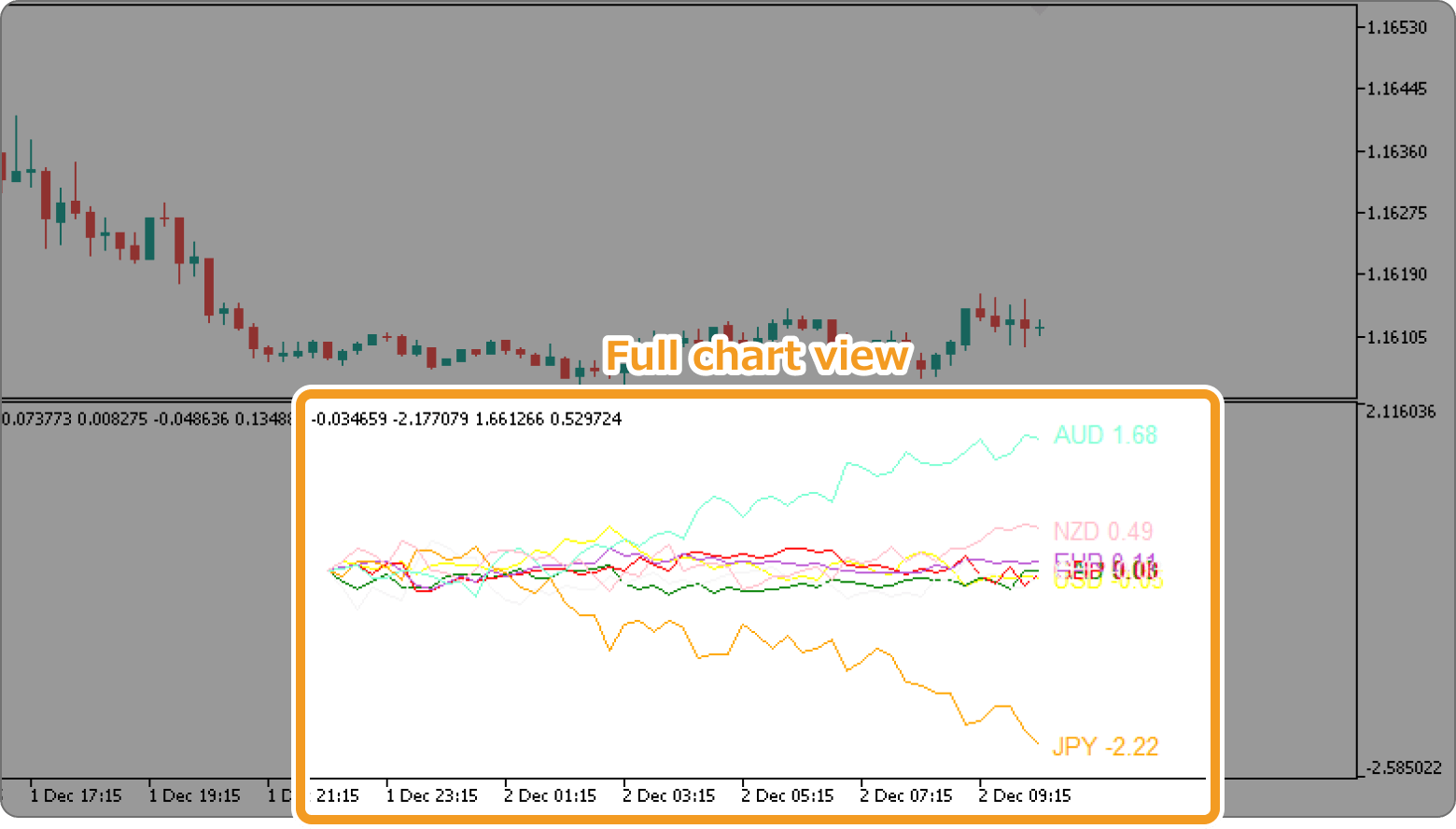
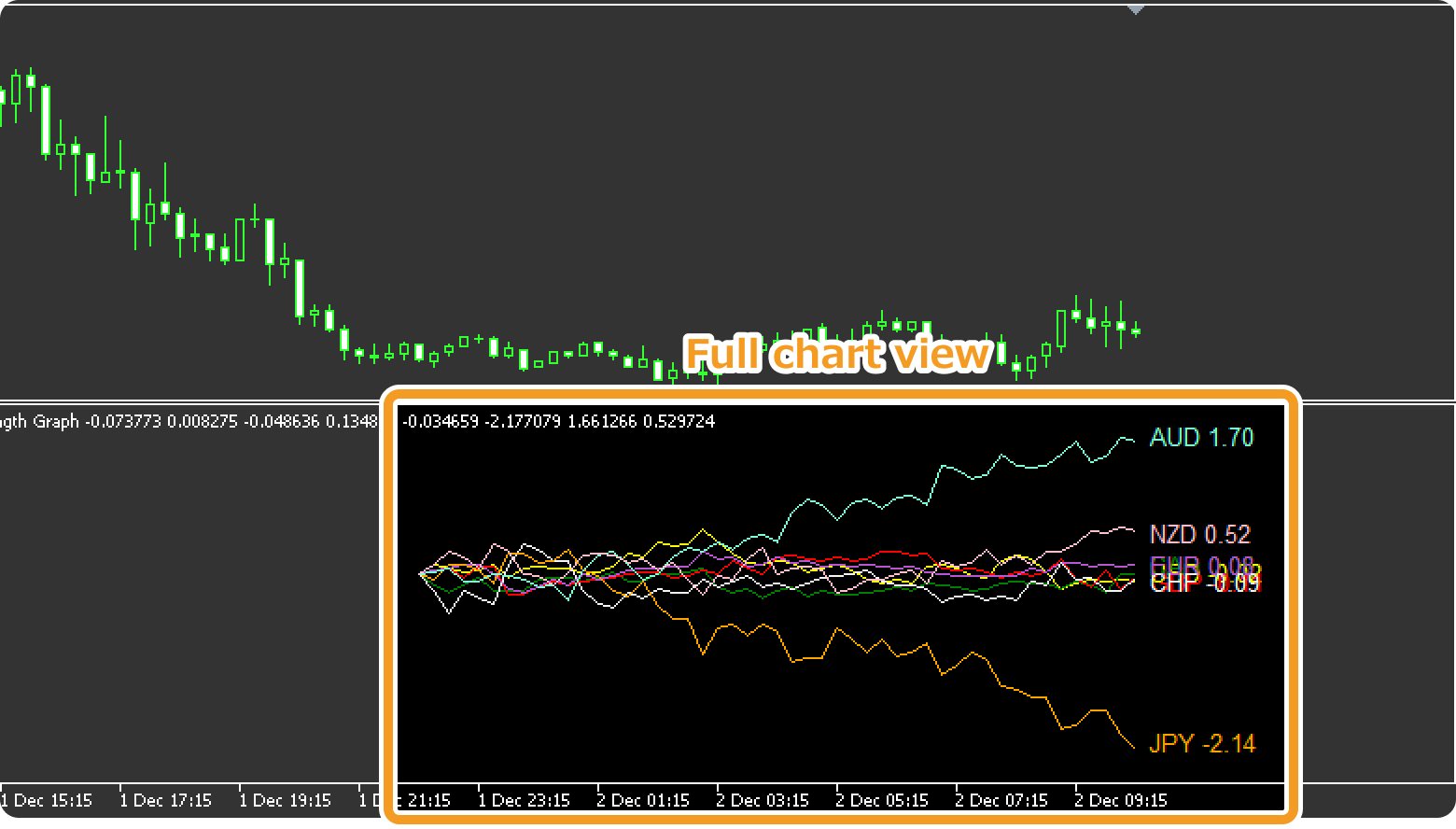
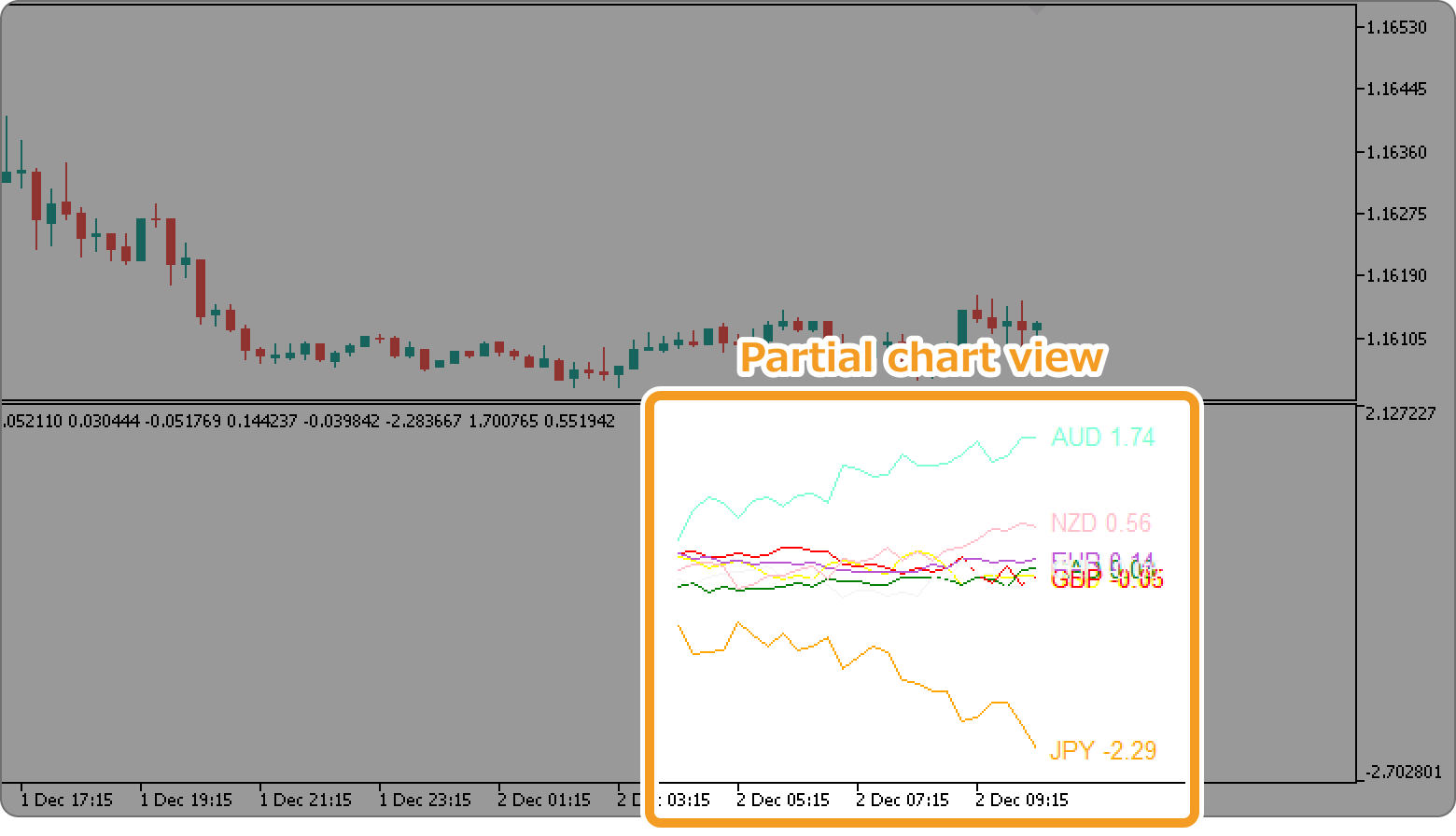
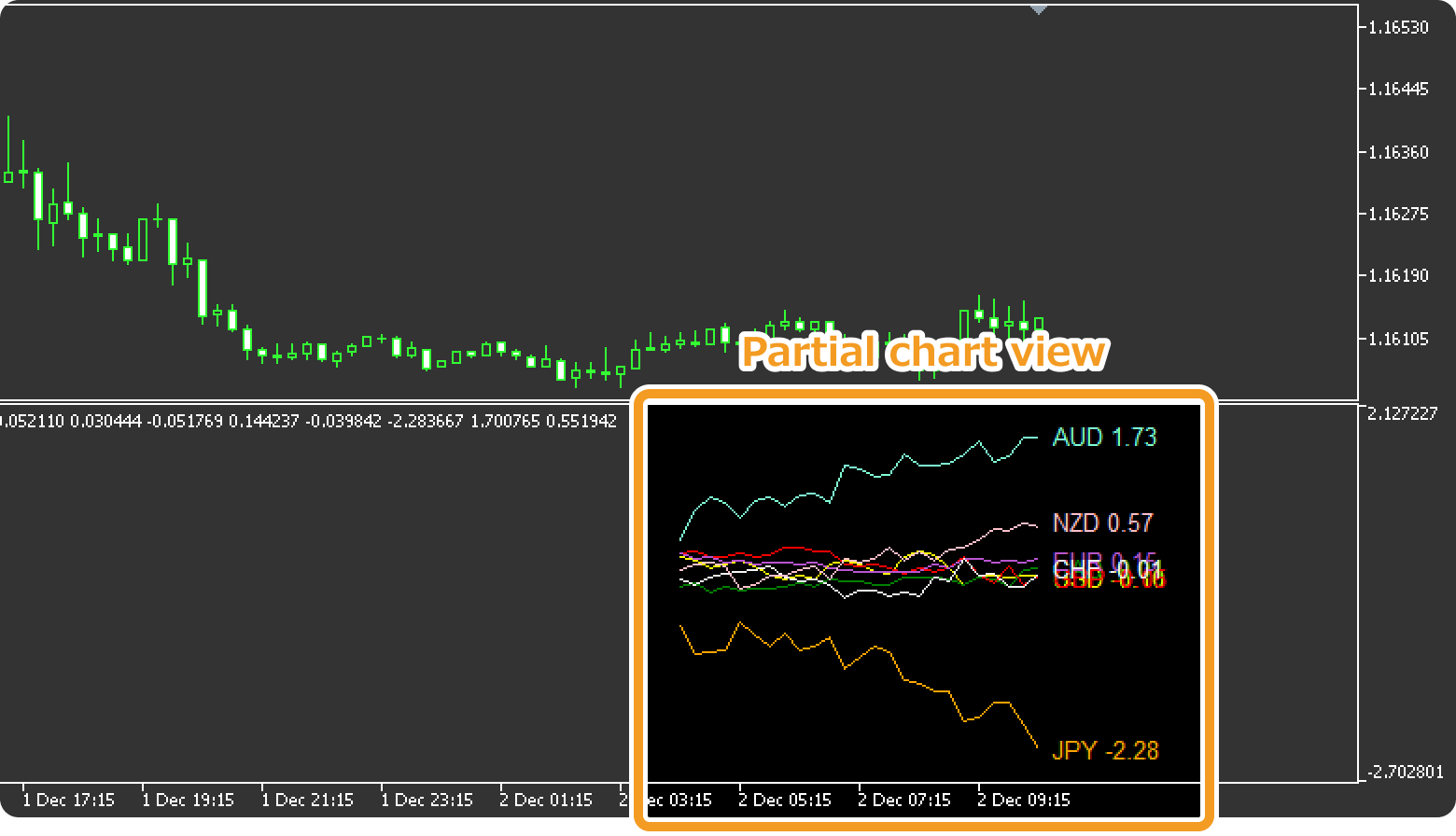
On the other hand, when "Calculation period" is 12 but "Display period" is smaller (e.g., 47 or less on a 15-minute chart, or 2 or less on a 4-hour chart), strengths are still calculated for 12 hours, but the chart displays only part of the data.
You can also set "Display period" to 0 to display only the real-time strengths as numerical values.
How to install
To use the Historical Strength Graph, install the "[Myforex]Historical Strength Graph" file on MetaTrader4/MetaTrader5.
Step 1
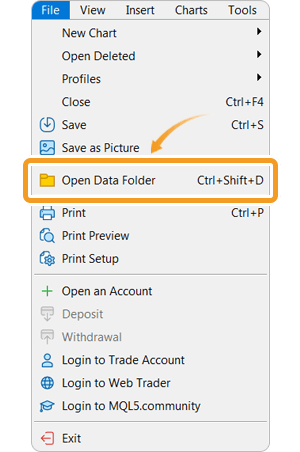
Click "File" from the menu bar at the top of MetaTrader4/MetaTrader5 and choose "Open Data Folder".
Step 2
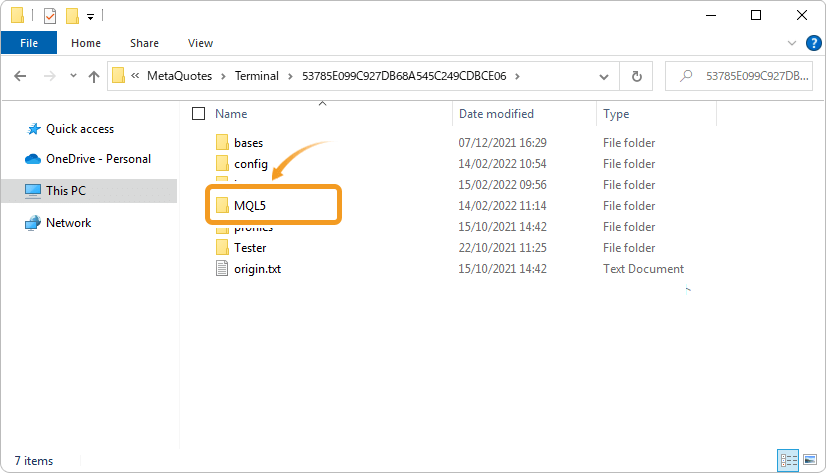
After opening the data folder, double-click the folder "MQL5 (MQL4 for MetaTrader4)" in it to open it.
Step 3
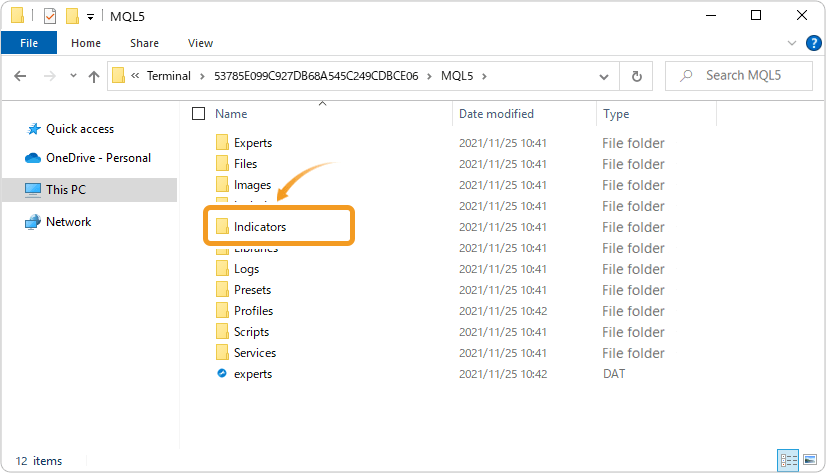
Double-click to open the "Indicators" folder in the MQL4/MQL5 file.
Step 4
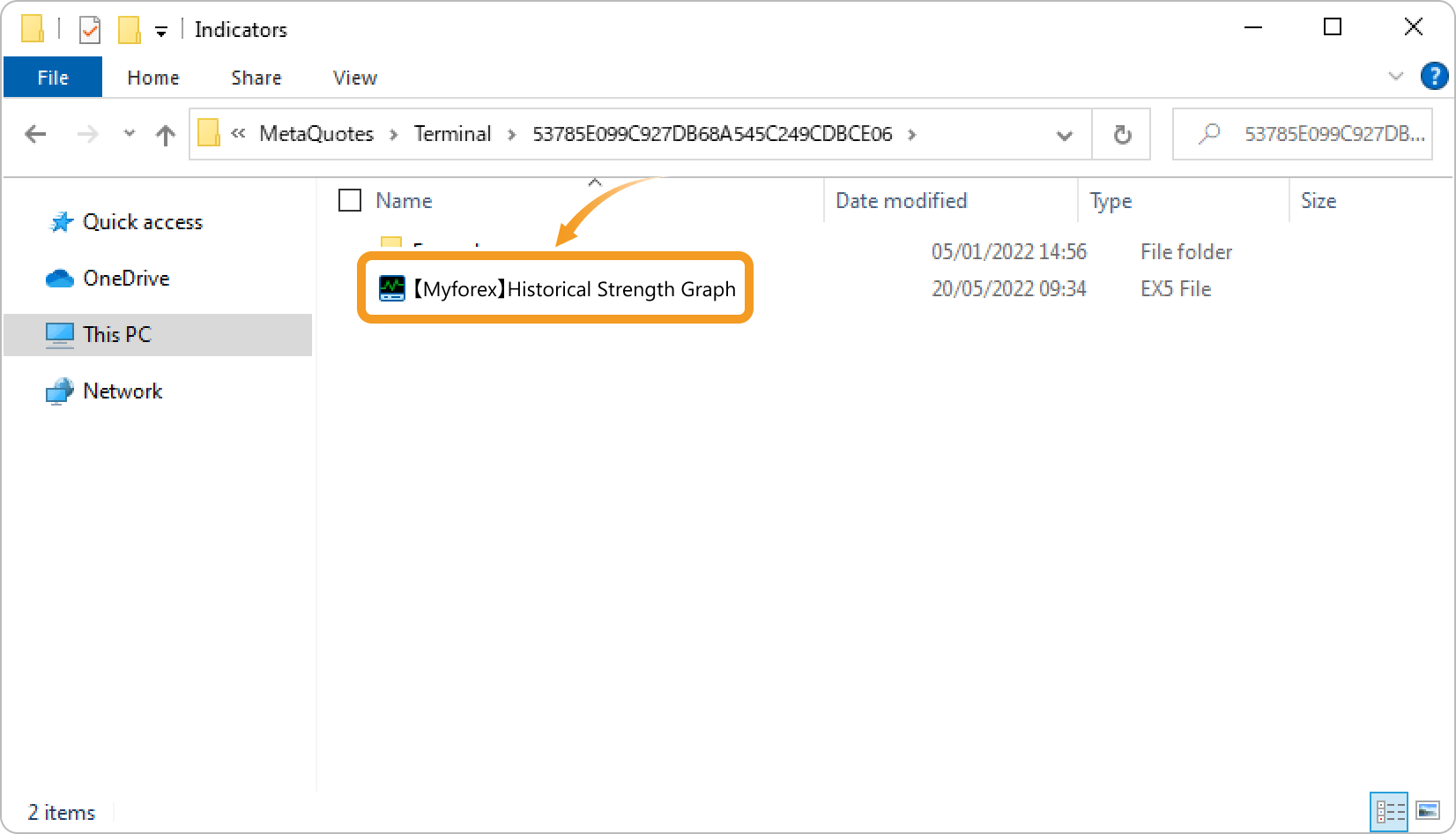
Save the "[Myforex]Historical Strength Graph" in the "Indicators" folder.
Step 5
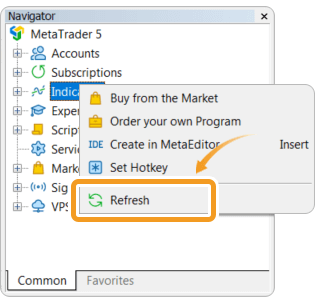
Once the file is in the folder, right-click "Indicators" in the Navigator and choose "Refresh" from the displayed menu.
Step 6
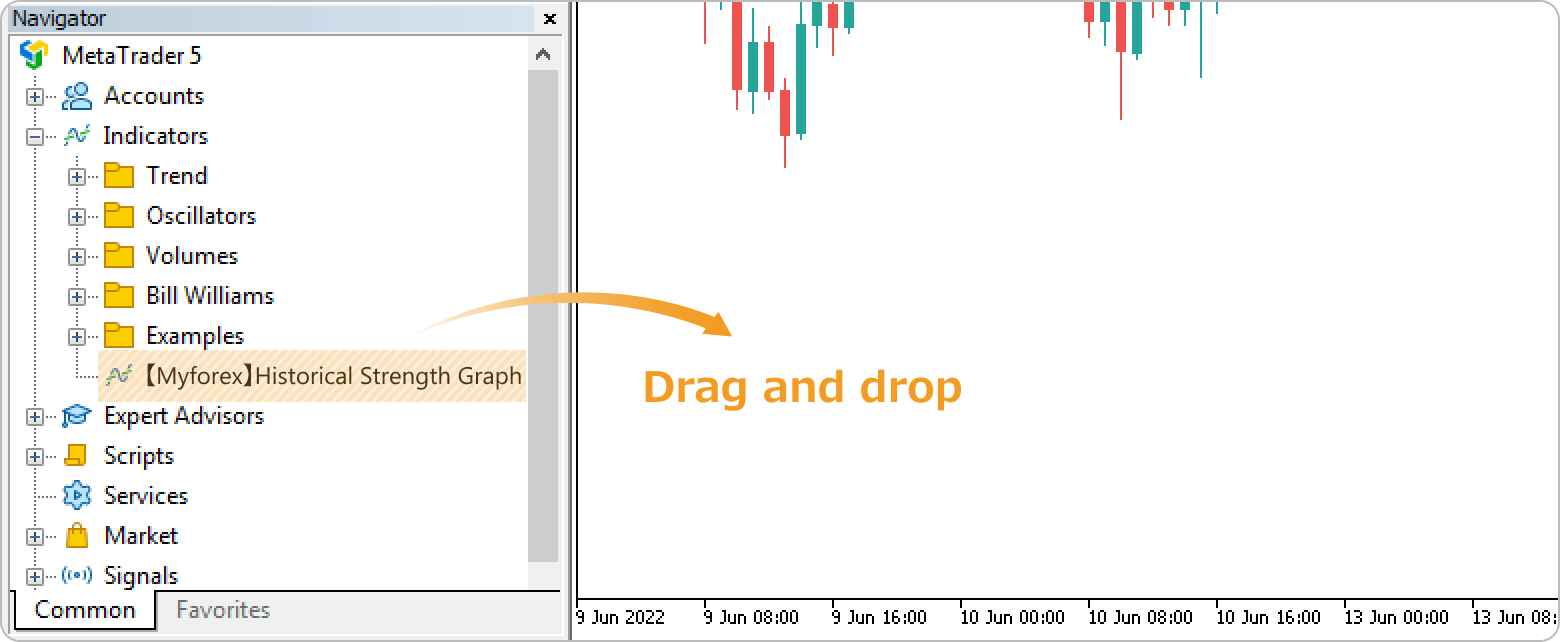
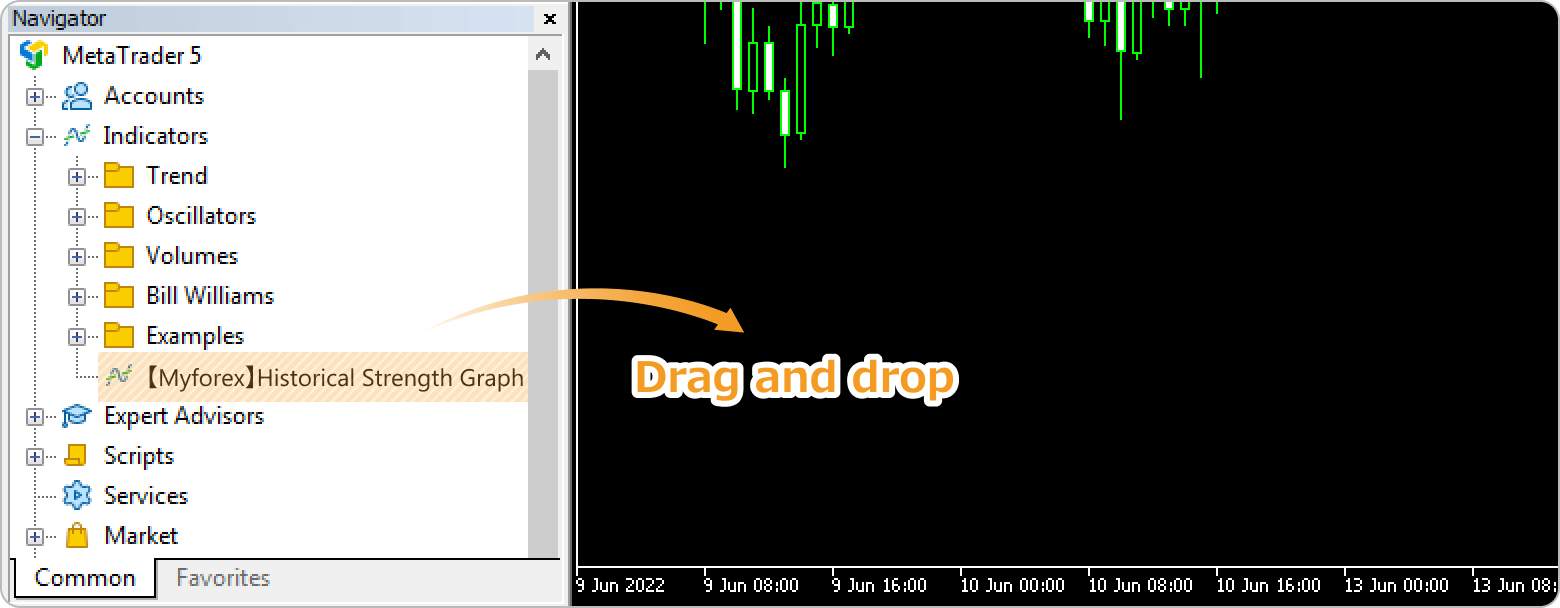
Click the "+" icon next to "Indicators" in the Navigator to find the Historical Strength Graph, and apply it to a chart by double-clicking or dragging and dropping.
Step 7
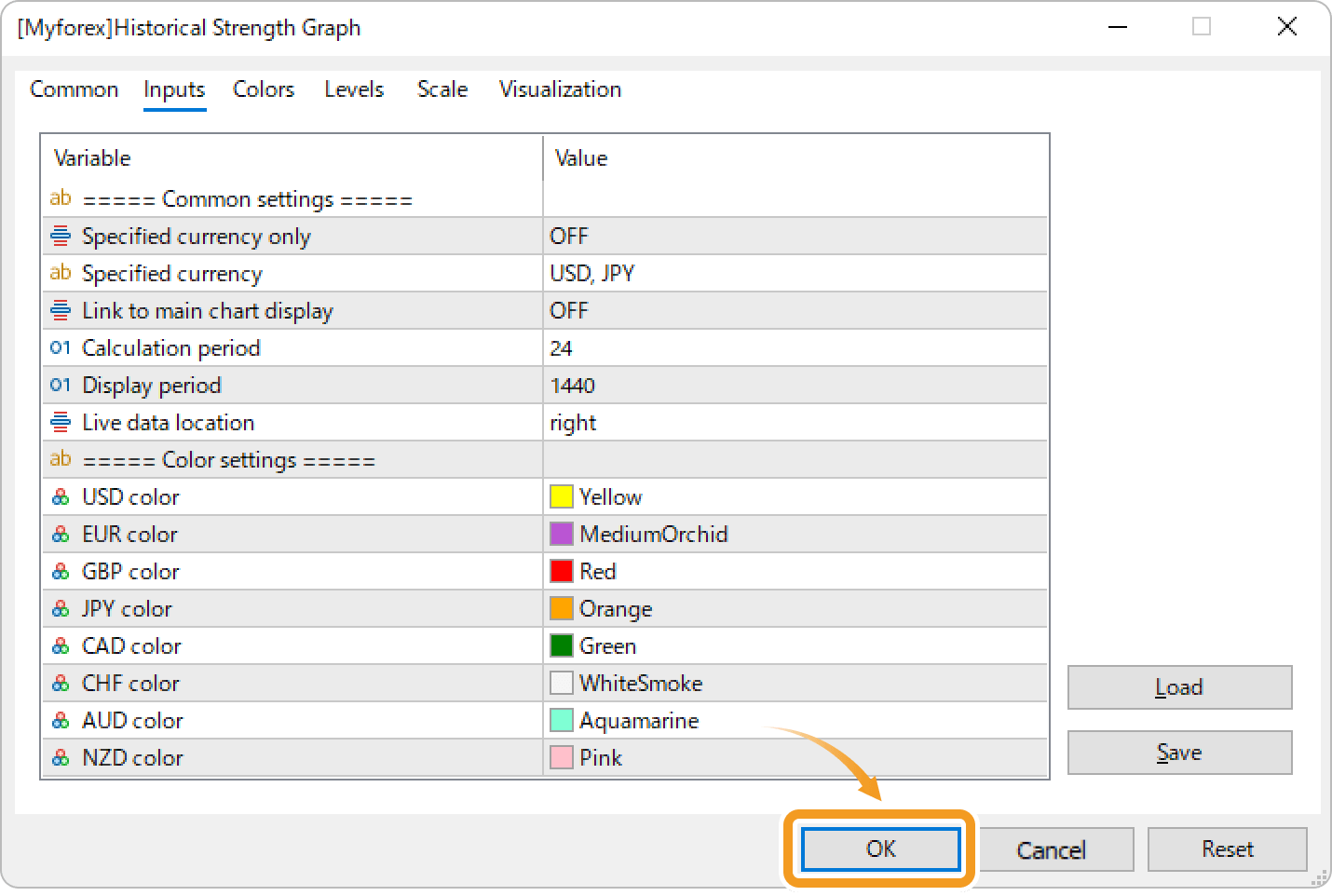
The settings window will open. Refer to the "How to set up" page to make further settings in the "Inputs" tab, then click "OK".
Step 8
The Historical Strength Graph is applied to the chart, and the currency strengths is displayed in the subwindow.
 If an error occurs
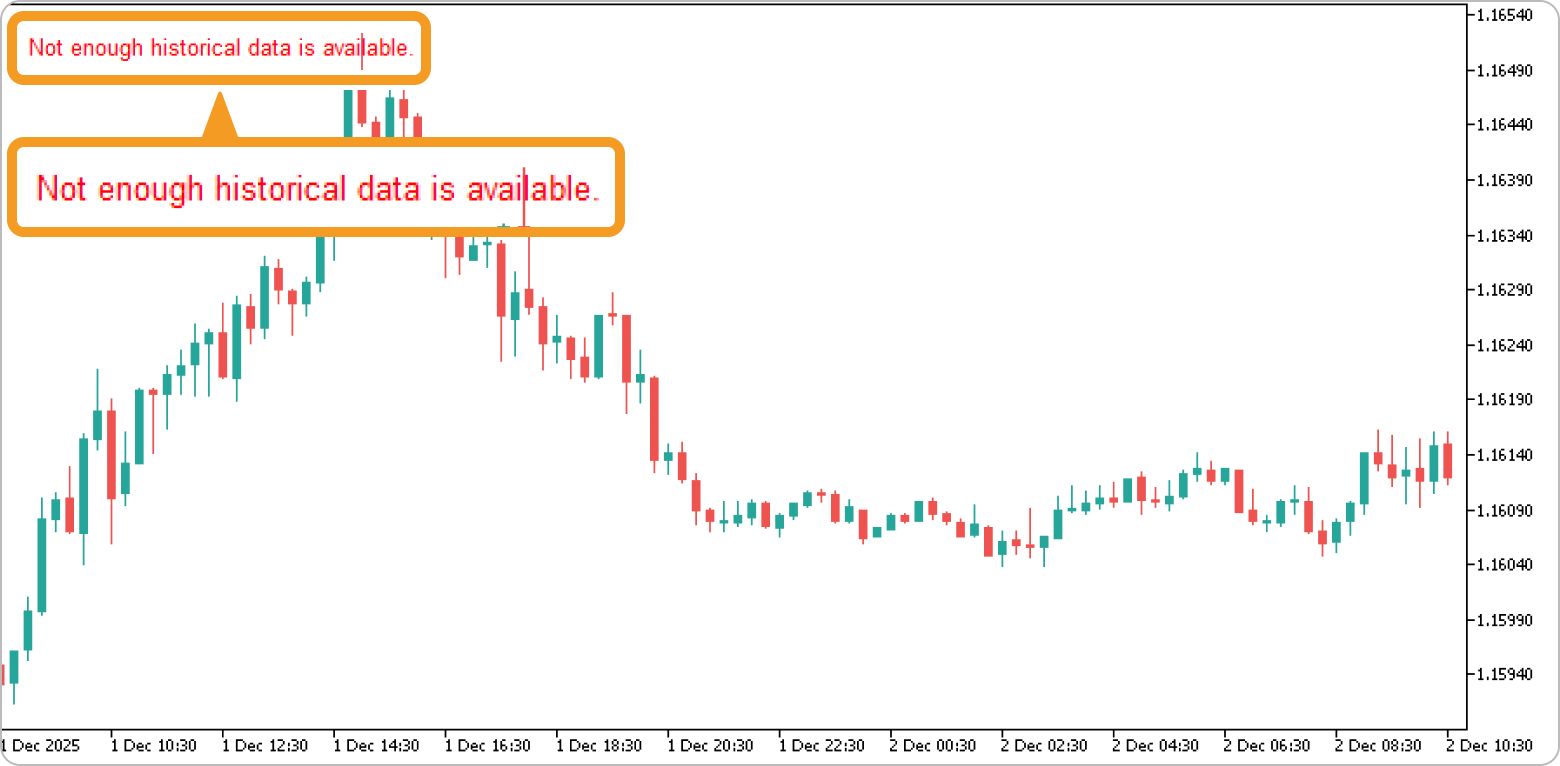
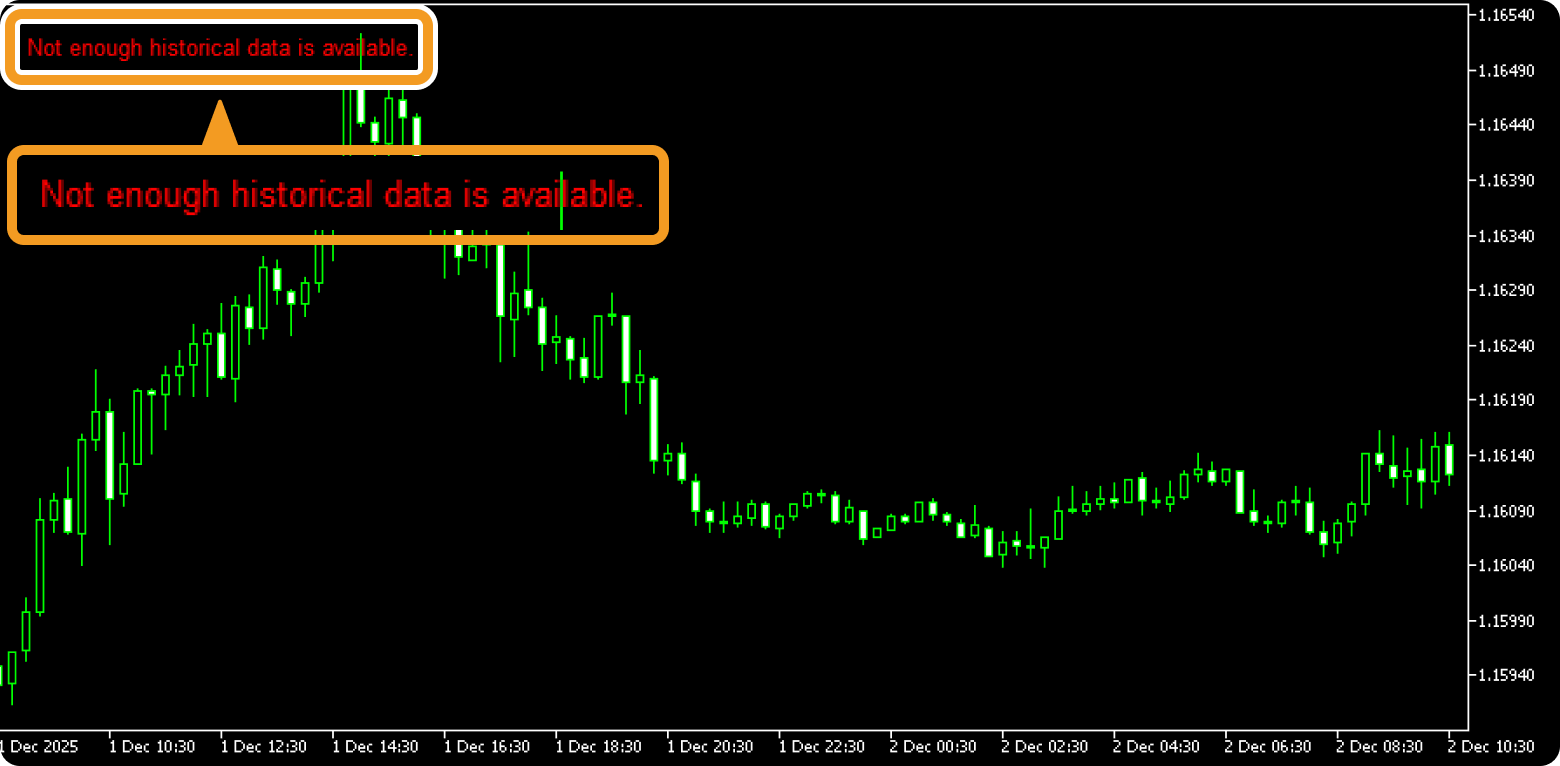
The Historical Strength Graph will trigger an alert sound and display a message on the chart if an error occurs, such as invalid parameter inputs. Check the message to identify the cause of the error.
The message is displayed as an object on the chart and can be deleted in the same way as other standard objects.
Related article: Delete multiple objects at once
How to set up
After applying the indicator to the chart, set the parameters according to your style.
Step 1
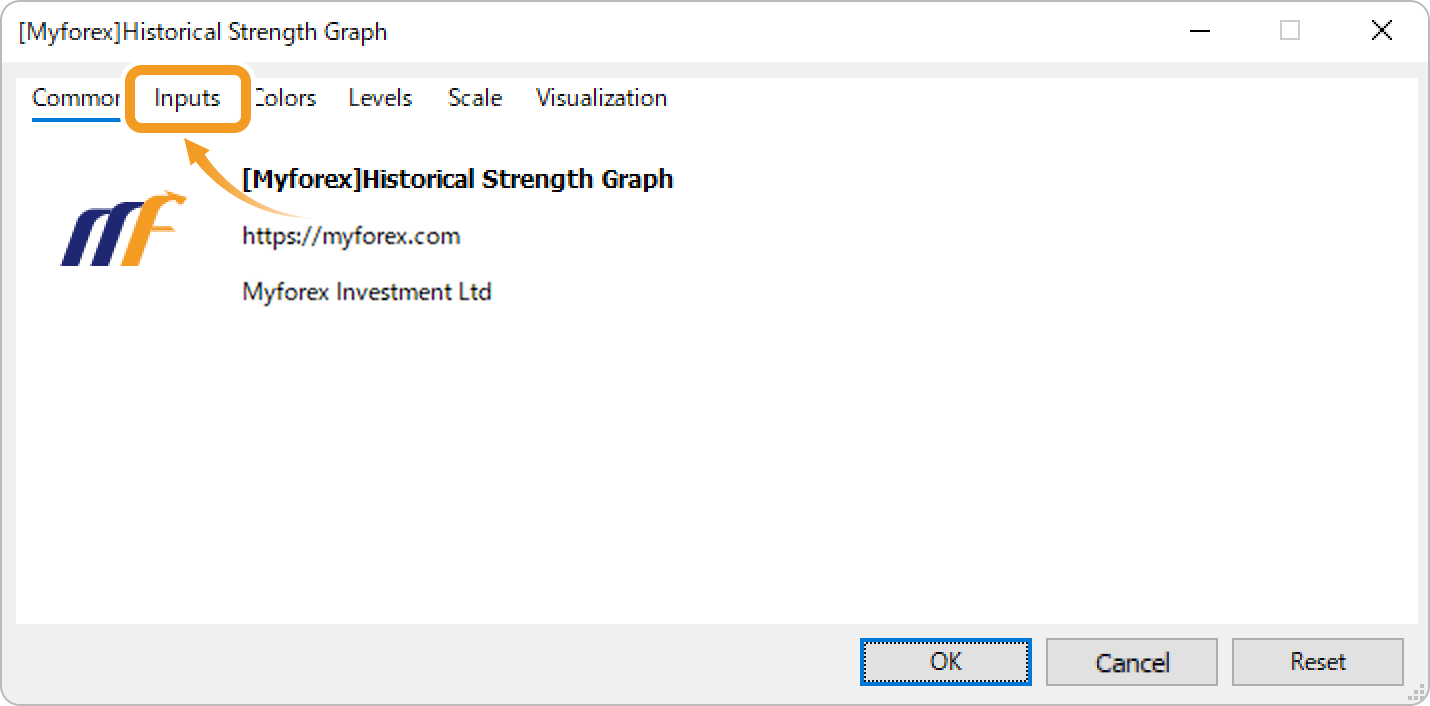
First, open the "Inputs" tab.
Step 2
Set the parameters as follows.
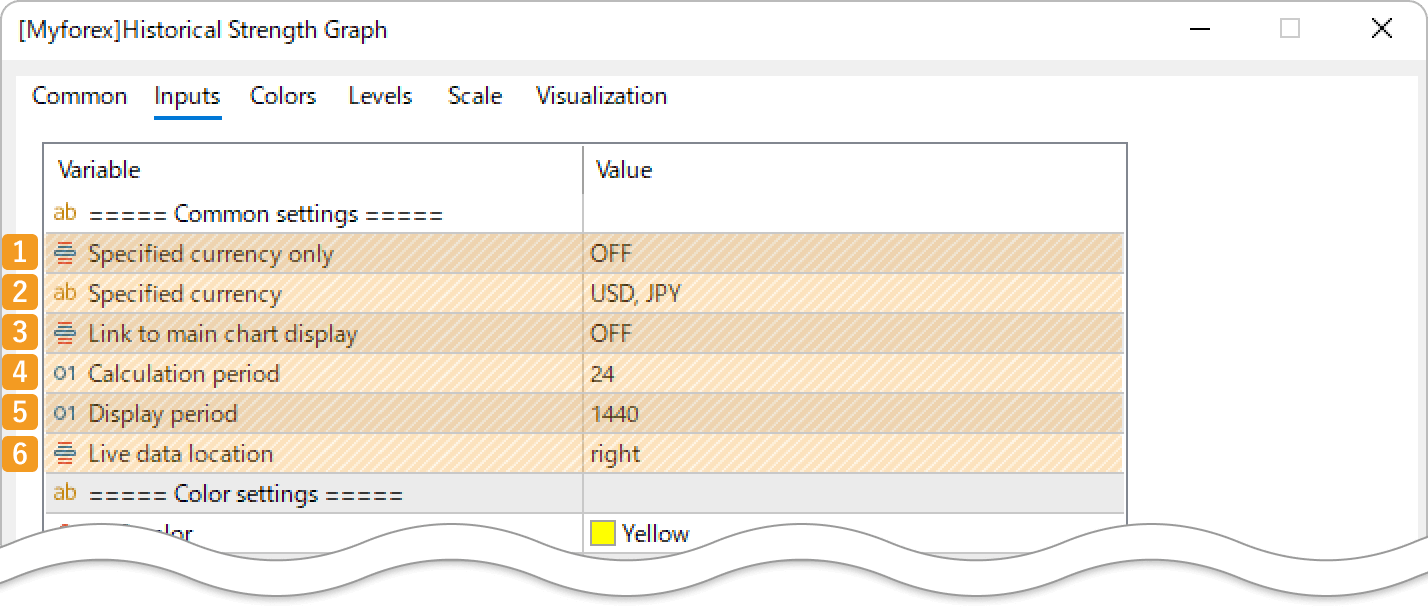
|
Number |
Item name |
Description |
|---|---|---|
|
1 |
Specified currency only |
Select ON if you want to display only the line charts of the currencies defined in the "Specified currency" parameter. |
|
2 |
Specified currency |
When "Specified currency only" is set to ON, it calculates strengths only for the currencies listed in this field. You can enter multiple currencies by separating them with commas. An error will occur if an unsupported currency or only a single currency is entered. |
|
3 |
Link to main chart display |
Select ON to automatically adjust the range of strength data to align with the display of the main chart. |
|
4 |
Calculation period |
Enter the number of hours for calculating past strength data. For example, entering "10" will calculate strengths over the past 10 hours. An error will occur if the value is smaller than the duration of one bar or excessively large. |
|
5 |
Display period |
Set the number of bars of past strength data to display. For example, entering "12" on a 15-minute timeframe will show data from the past 3 hours. If the value exceeds the "Max bars in chart" setting in MT4/MT5, an error will be returned. |
|
6 |
Live data location |
Choose where to display the current strength data: right, top, or bottom. |
Minimize the calculation period
The Historical Strength Graph calculates currency strengths for the period defined in the "Calculation period" parameter. Large values (e.g., ~10,000) may slow the downloading of historical data, causing delayed chart loading.
Very large values (e.g., ~100,000) may cause a timeout error. The tool will still work if you download the missing data or re-apply the indicator until the download completes. Please note that complete data for all symbols used in the currency strength calculation is required.
Because MT4 has lower processing power than MT5, delays or errors may occur even with smaller "Calculation period" values.
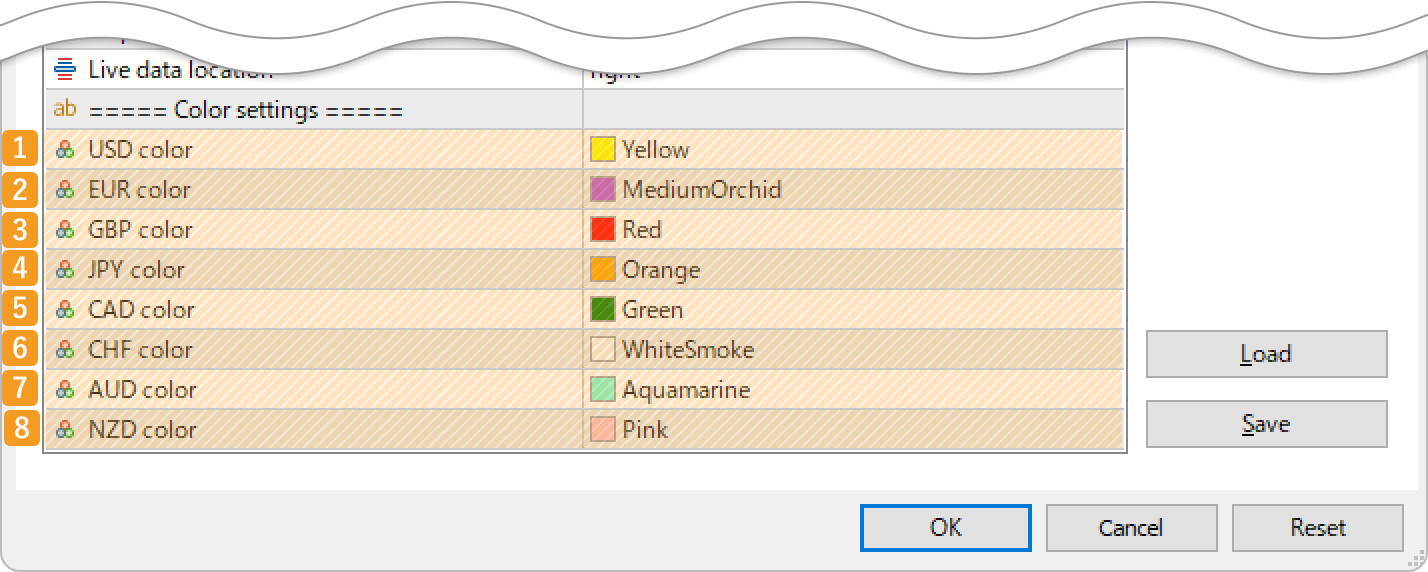
|
Number |
Item name |
Description |
|---|---|---|
|
1 |
USD color |
Set the color for USD strength and chart. |
|
2 |
EUR color |
Set the color for EUR strength and chart. |
|
3 |
GBP color |
Set the color for GBP strength and chart. |
|
4 |
JPY color |
Set the color for JPY strength and chart. |
|
5 |
CAD color |
Set the color for CAD strength and chart. |
|
6 |
CHF color |
Set the color for CHF strength and chart. |
|
7 |
AUD color |
Set the color for AUD strength and chart. |
|
8 |
NZD color |
Set the color for NZD strength and chart. |

Created
: 2025.12.17

Last updated
: 2026.03.11
Disclaimer:
All information and content provided on this website is provided for informational purposes only and is not intended to solicit any investment. Although all efforts are made in order to ensure that the information is correct, no guarantee is provided for the accuracy of any content on this website. Any decision made shall be the responsibility of the investor and Myforex does not take any responsibility whatsoever regarding the use of any information provided herein.
The copyright in our content belongs to us.
We welcome your use of our content within appropriate limits, including use through our sharing features, sharing on social media, and quotation. However, please refrain from unauthorized reuse, including but not limited to commercial use, reproduction with modification of content, or reproduction on websites that compete with us. We may take necessary measures, including but not limited to deletion of the relevant content, if we consider that the content has been used in an inappropriate or unauthorized manner.



Myforex uses cookies to improve the convenience and functionality of this website. This website may include cookies not only by us but also by third parties (advertisers, log analysts, etc.) for the purpose of tracking the activities of users. Cookie policy